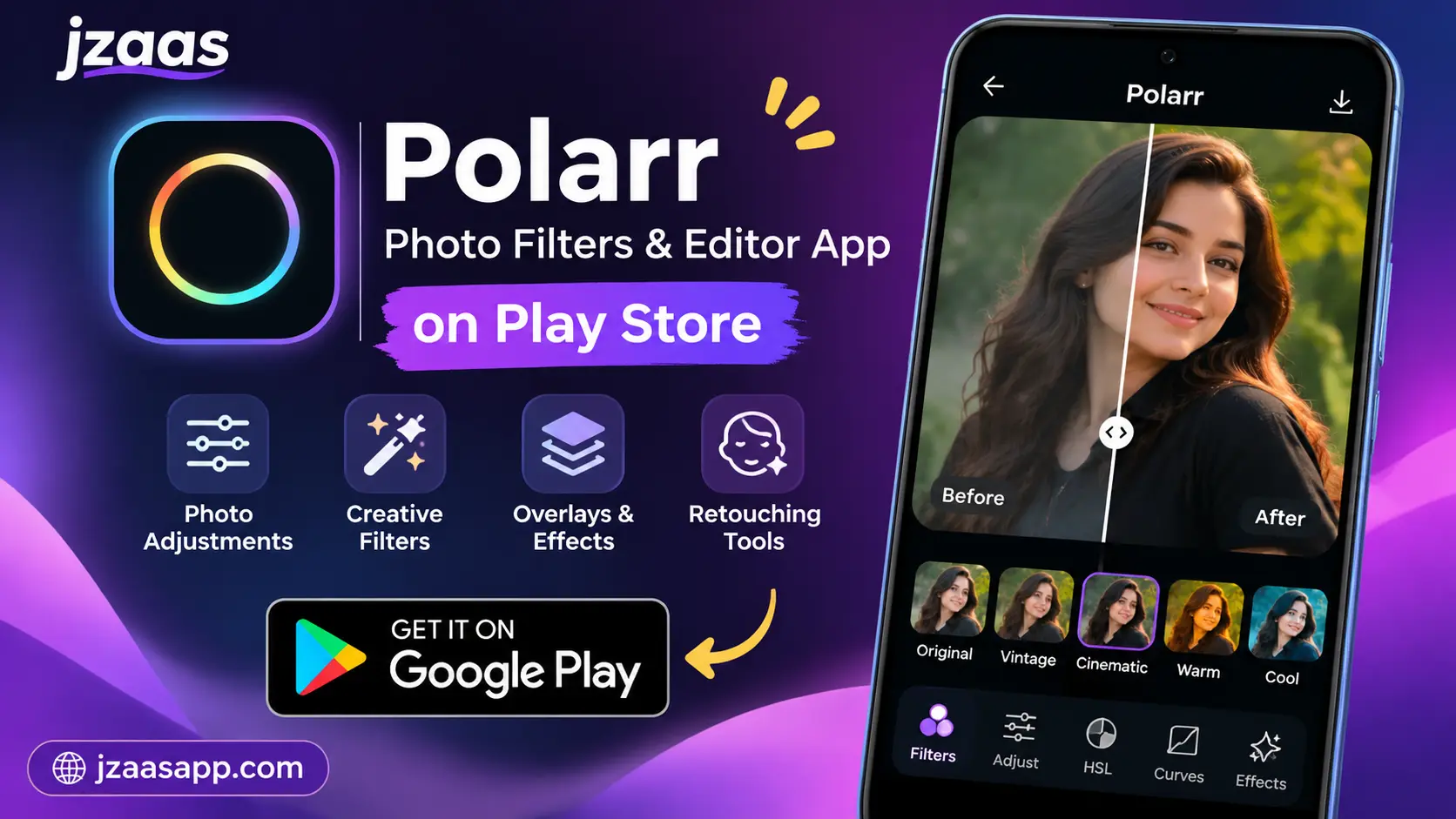
Polarr Photo Filters & Editor App on Play Store

Choosing the right photo editing app can make a big difference when you want to improve your pictures and give them a professional look. Many people want an editor that offers attractive filters, useful adjustment tools, and simple controls without making the editing process difficult. Polarr is one option worth exploring for these needs.
Polarr Photo Filters & Editor App on Play Store provides access to creative filters, editing adjustments, overlays, and tools for creating personalized photo styles. Users can explore filters made by other creators or develop and share their own. In this guide, we will explore its main features, editing tools, download process, pricing, and how it can help with everyday photo editing.
Polarr Photo Filters & Editor App (Quick Information)
| Information | Details |
|---|---|
| App Name | Polarr: Photo Filters & Editor |
| Category | Photography |
| Developer | Polarrcan Software Inc. |
| Platform | Android |
| Availability | Google Play Store |
| Main Features | Filters, presets, photo adjustments, overlays, retouching |
| Pricing | Free download with ads and in-app purchases |
| Internet Requirements | Required for online features and filter discovery |
| Android Compatibility | Depends on device and app version |
| Download Source | Google Play Store |
What Is Polarr Photo Filters & Editor App?
Polarr is a mobile photo editing application designed to help users improve their pictures through creative filters and different adjustment tools. It offers a collection of filters created by Polarr creators, allowing users to explore different photography styles and apply them to their images.
The application is also useful for people who enjoy experimenting with photo colors and effects. Instead of depending only on ready-made filters, users can customize editing settings, create their own filters, and share them with others.
Key Features of Polarr Photo Filters & Editor
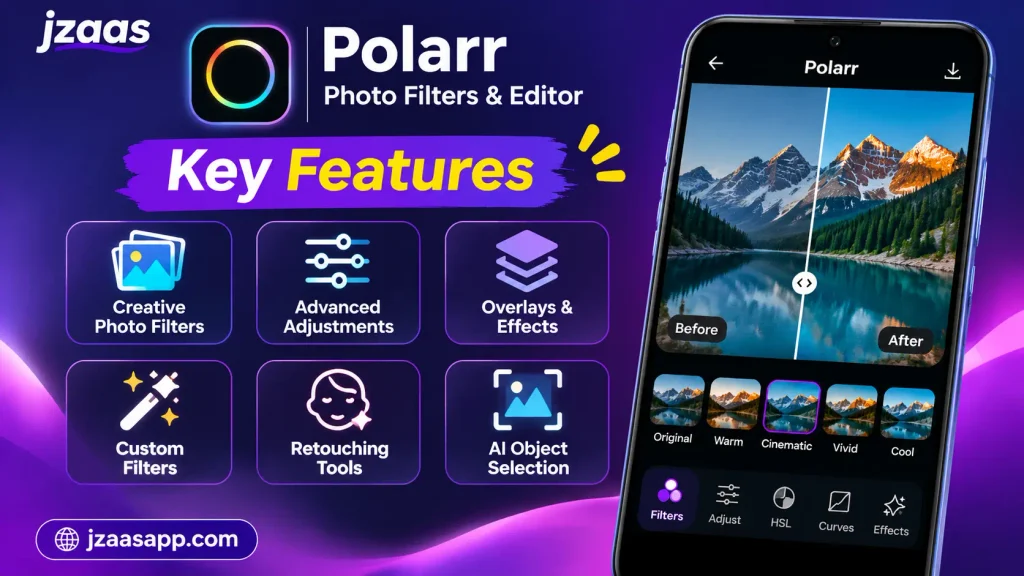
Polarr offers several tools that help users create different photography styles and improve their images. Its features cover basic adjustments, creative effects, filter customization, and more advanced editing options.
Discover Creative Photo Filters
One of the main features of Polarr is its collection of filters created by users and creators from around the world. You can explore different styles and find filters that match the look you want for your pictures.
Create and Share Custom Filters
Polarr allows users to create their own filters by adjusting different editing settings. Once a filter is ready, it can be shared with friends or other users, making it easier to exchange creative photography styles.
AI Powered Object Selection
The app includes AI-based object selection options for working with specific parts of an image. Depending on the available editing tools, users can target objects such as the sky, background, people, vegetation, and buildings.
Advanced Photo Adjustments
Users can work with different image settings, including brightness, color, HSL, curves, details, and other adjustments. These controls help improve the overall appearance of a picture without relying entirely on preset filters.
Creative Overlays and Retouching
Polarr also includes overlays and retouching effects. These options can help users add different visual styles, adjust selected facial features, and make creative changes to their photos.
Filter Synchronization
Users can synchronize their Polarr filters through a Polarr account. This makes it easier to access saved filter styles across supported Polarr applications.
If you want to explore another photo editing option for Android, check out our guide to the Easy Gallery Photo Editor App on Play Store to learn about its filters, editing tools, and useful features.
Explore Different Photo Filters and Presets
Filters and presets are important parts of the Polarr editing experience. They allow users to change the appearance of an image without manually adjusting every setting. You can explore different filter styles depending on the mood, colors, and overall appearance you want.
The app includes filters created by different community members. Its collections and Creator Spotlights are updated regularly, giving users opportunities to discover new editing styles.
Some popular styles you may want to explore include:
- Vintage Filters: Give pictures an older photographic appearance with different color tones.
- Warm Filters: Add warmer colors to portraits, food pictures, and outdoor photography.
- Cool Filters: Create cooler color tones for a different visual atmosphere.
- Cinematic Filters: Experiment with contrast and color adjustments for a dramatic appearance.
- Natural Filters: Improve the overall appearance of pictures while keeping their original look.
- Creative Filters: Explore different combinations of effects, overlays, and colors.
The final result depends on the original picture and the settings used in each filter. You can also adjust a filter after applying it to achieve a look that better matches your preferences.
Photo Editing Tools Available in Polarr
Apart from ready made filters, Polarr provides several editing tools for users who want more control over their pictures. These options help you make detailed changes to different parts of an image.
Light and Color Adjustments
Light and color controls help improve the brightness, contrast, and overall color appearance of a picture. You can experiment with these settings to make dark images brighter or give colorful pictures a more balanced appearance.
HSL and Curves
HSL tools provide control over hue, saturation, and luminance. Curves offer another way to adjust image tones and contrast, allowing users to create different visual effects.
Selective Editing Masks
Polarr includes selective masks such as brush, radial, gradient, color, and luminance masks. These tools allow users to apply adjustments to selected areas instead of changing the entire image.
Overlays and Textures
The application includes different overlay options, such as gradients, duotone effects, weather effects, textures, backdrops, and custom overlays. These tools can help create more interesting visual compositions.
Retouching Tools
Retouching options include skin adjustments, liquify effects, and facial shape adjustments. These tools can be used to make selected changes to portraits and other suitable photographs.
Batch Photo Export
Polarr also lists batch photo export among its productivity features. This can be useful for users who need to export multiple edited images as part of their photography workflow. Feature availability may depend on the subscription plan.
If you also create videos for social media platforms, explore our guide to the Funimate Video Editor & Maker App on Play Store to learn about its creative video effects, transitions, music, and animation tools.
How to Download Polarr from Play Store
Downloading Polarr on an Android device is a straightforward process. You should always use the official Google Play Store listing to get the genuine application rather than downloading installation files from unknown websites.
Follow these steps:
- Open the Google Play Store on your Android phone.
- Tap the search bar at the top of the screen.
- Type Polarr: Photo Filters & Editor.
- Find the application published by Polarrcan Software Inc.
- Open its app page and review the available information.
- Tap the Install button to download the application.
- Wait for the installation process to finish.
- Open Polarr and follow the instructions displayed on your screen.
You can download the app directly using the link below:
After opening the app, you can explore its available features and choose the editing options that suit your needs. Some features may require an internet connection, an account, advertisements, or a paid subscription.
How to Edit Photos Using Polarr
Editing a photo with Polarr can be a simple process once you become familiar with its tools. Beginners can start with ready-made filters and gradually explore more detailed adjustment options.
Step 1: Open the Application
Launch Polarr on your Android device. Explore the main interface and follow any instructions provided when opening the application for the first time.
Step 2: Select a Photo
Choose a picture from your device that you want to edit. Make sure the application has the necessary photo access permission to import the image.
Step 3: Apply a Filter
Explore the available filters and select one that matches your preferred style. You can try different options to see how they change the appearance of your picture.
Step 4: Adjust the Image
Use the available editing controls to change brightness, colors, contrast, saturation, and other settings. Small adjustments can often make a noticeable difference.
Step 5: Preview Your Changes
Review the edited picture before exporting it. Compare the result with the original image to make sure the changes look natural and suit your preferences.
Step 6: Export Your Edited Photo
When you are satisfied with the result, use the available export option to save your edited picture. Depending on your selected plan and export option, you may need to watch an advertisement or access a premium feature.
How to Customize Filters in Polarr
Custom filters are useful for people who want to develop their own photography style. Instead of using the same ready made effects every time, Polarr allows users to create personalized filters by combining different editing adjustments.
Start by selecting a picture and experimenting with its color, lighting, and other available settings. You can also explore selective adjustments and overlays to create a particular appearance.
Once you are satisfied with your changes, use the filter creation and saving options available in the app. You can give your filter a suitable name and share it with other users.
Polarr also supports QR codes for producing and scanning filters. This provides another way to exchange personalized editing styles without explaining every adjustment manually.
Is Polarr Photo Editor Free to Use?
Polarr can be downloaded from the Google Play Store without an initial purchase, but it also includes advertisements and in-app purchases. Users can explore the available free features before deciding whether they need additional tools.
The Google Play listing currently displays the following subscription options in US dollars:
| Subscription | Listed Price |
|---|---|
| Monthly | $3.99 |
| Yearly | $19.99 |
These prices may vary depending on your country, currency, and current Google Play offers. Some premium features require a subscription, so review the available plans before making a purchase.
If you only need basic photo editing and want to explore different filters, you can first try the available free options. A paid plan may be worth considering if you regularly use the premium tools.
Is Polarr Photo Editor Safe for Android?
When downloading any photo editing application, it is important to consider its source and privacy information. Polarr is listed on the official Google Play Store, where users can review the developer information, permissions, and Data safety section.
According to its Google Play Data safety information, the app may collect personal information, photos and videos, and other data. The listing also states that data is encrypted in transit and users can request data deletion.
However, downloading an app from an official store does not mean you should ignore privacy settings. Review the app’s permissions and privacy policy, particularly before uploading personal or sensitive photographs.
Who Should Use the Polarr Photo Editor App?
Polarr can be useful for different types of users who want to improve their pictures or experiment with creative photography styles. Its combination of ready-made filters and customization options makes it suitable for both casual editing and more detailed adjustments.
Some users who may find the application helpful include:
- Beginners: People who want to explore photo filters and learn basic editing.
- Photography Enthusiasts: Users who enjoy experimenting with colors, lighting, and visual effects.
- Social Media Users: People who want to improve the appearance of pictures before sharing them online.
- Content Creators: Users who want to develop a consistent visual style for their photographs.
- Filter Creators: People who enjoy creating and sharing their own editing styles.
The best experience depends on your editing needs and the features available under your selected plan.
Perfect for Social Media Content Creation
Good looking pictures can help make social media profiles more attractive and visually consistent. Polarr provides several tools that can help users improve their photographs before sharing them on different platforms.
For example, you can use filters to create a consistent color style across multiple pictures. Light and color adjustments can also help improve photographs taken in different lighting conditions.
Content creators may also find custom filters useful when they want to maintain a similar appearance across their posts. Once a preferred editing style has been created, it can be saved and reused where supported.
However, photo editing is only one part of content creation. You may still need other applications for graphic designs, text-based posts, video editing, or social media scheduling.
If you also create videos for social media, read our YouTube Create App guide to explore its mobile video editing features.
Polarr Photo Editor vs Other Editing Apps
There are many photo editing applications available for Android, and each offers a different editing experience. Some focus mainly on ready-made filters, while others provide more detailed image adjustments or additional creative tools.
Polarr stands out through its creator-made filter collection, custom filter creation, QR code sharing, selective editing, and retouching options.
| Editing Need | What to Look For |
|---|---|
| Quick Photo Editing | Ready-made filters and presets |
| Creative Photography | Overlays and color effects |
| Detailed Adjustments | HSL, curves, and selective masks |
| Personalized Editing | Custom filter creation |
| Sharing Editing Styles | Filter sharing and QR codes |
| Portrait Editing | Skin and facial retouching tools |
Polarr is particularly interesting for users who enjoy experimenting with filters and developing their own photography styles. However, if you need collage layouts, graphic design templates, or specialized video editing tools, you may prefer to explore additional applications.
It is also worth understanding that Polarr and Polarr Pro Photo Editor are separate products with different platform availability and editing experiences. Android users should check the features of the specific Polarr app they are downloading.
FAQs
Is Polarr Photo Filters & Editor available on Play Store?
Yes, Polarr: Photo Filters & Editor is available on the Google Play Store for compatible Android devices. You can search for its official name and check the developer information before installing it.
Is Polarr Photo Editor free to use?
Polarr is free to download, but it includes advertisements and optional in-app purchases. Some advanced features are available through paid subscription plans.
Can I create my own filters in Polarr?
Yes, Polarr allows users to create and share personalized filters. You can adjust different editing settings, save your preferred style, and share filters with other users.
Does Polarr support selective photo editing?
Yes, the application includes selective masks such as brush, radial, gradient, color, and luminance. It also lists AI-powered object selection options for working with specific parts of an image.
Can I share Polarr filters with other users?
Yes, you can share your own filters with others. Polarr also supports QR codes, which provide another way to produce and scan filters.
Final Thoughts
Polarr Photo Filters & Editor is an interesting option for Android users who enjoy experimenting with photography styles and creative image adjustments. Its collection of creator-made filters, customization options, overlays, and selective editing tools provides several ways to improve pictures.
Whether you are a beginner or someone who regularly edits photographs, you can explore its available tools and discover which features match your needs. Before downloading, review its Play Store information, free features, and subscription options. This will help you decide whether Polarr is the right photo editing application for your everyday use.