DiskDigger APK Download for Android – Recover Deleted Photos Easily

Have you ever accidentally deleted important photos from your Android phone? Losing family pictures, special memories, or personal images can be frustrating, especially when you do not have a backup. Sometimes, photos disappear while cleaning phone storage or deleting unnecessary files. In such situations, finding a reliable recovery app becomes important.
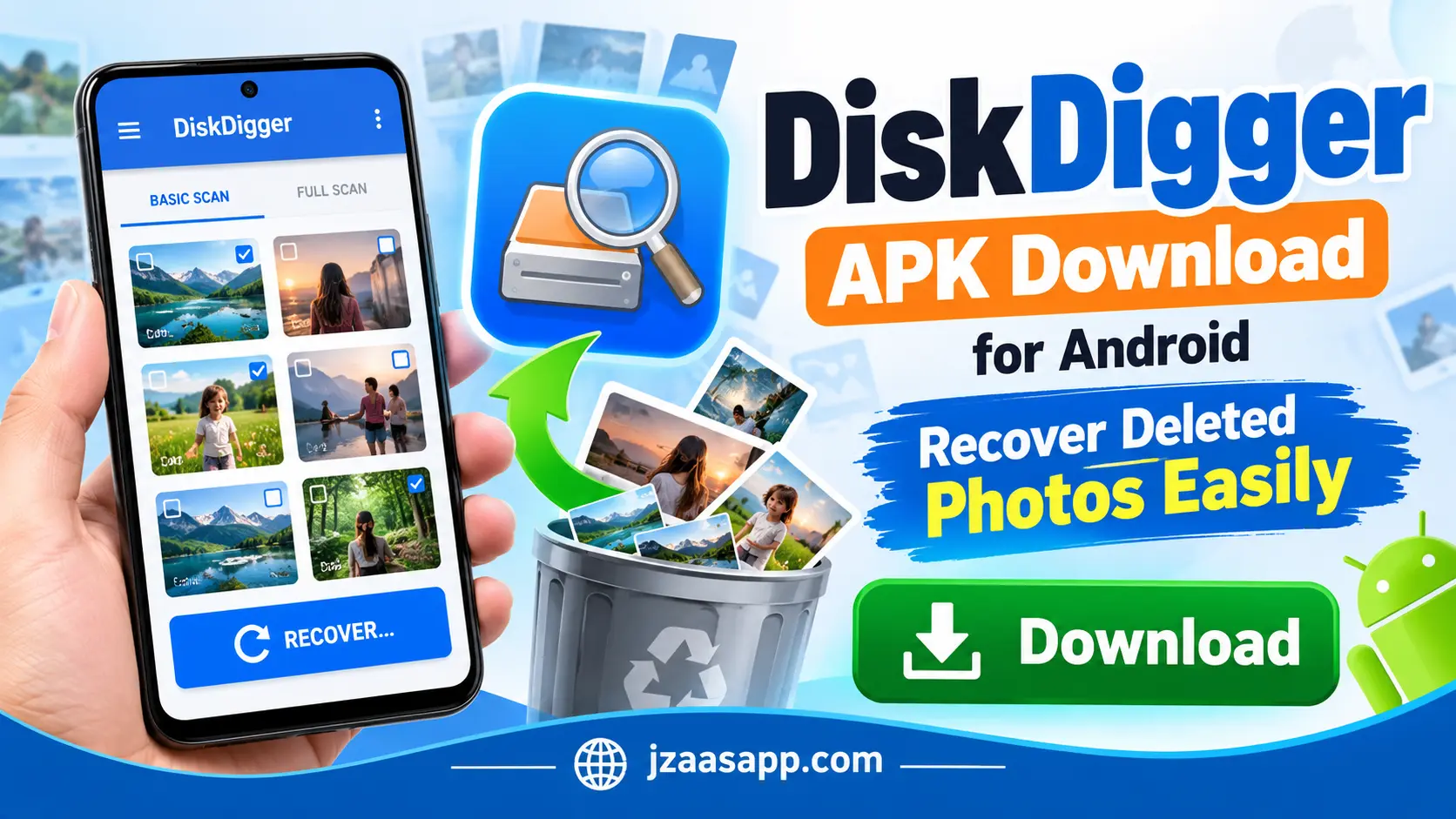
DiskDigger APK is a useful photo recovery app that helps Android users search for lost and deleted pictures. It scans available storage areas and displays images that may still be recoverable. The app is simple to use and offers basic photo recovery without rooting your device.
If you want to recover deleted photos, DiskDigger may help you get some of them back. In this guide, you will learn about its features, download process, installation steps, and how to recover deleted pictures using DiskDigger on Android.
DiskDigger APK Information
| App Information | Details |
|---|---|
| App Name | DiskDigger Photo/File Recovery |
| Developer | Defiant Technologies, LLC |
| Category | Photo & File Recovery |
| Platform | Android |
| File Format | APK |
| Price | Free (Pro Version Available) |
| Root Required | No (Basic Scan) |
| Full Scan | Requires Root Access |
| Photo Recovery | Supported |
| Video Recovery | Supported With Root |
| Internet Required | Not Required for Local Scanning |
What Is DiskDigger APK?
DiskDigger APK is an Android photo recovery application developed by Defiant Technologies. It helps users find deleted photos, images, and certain other files from their phone storage. Whether you accidentally delete a picture or lose images while managing your files, DiskDigger allows you to search for copies that may still be available.
The app provides two scanning options: Basic Scan and Full Scan. Basic Scan works on Android phones without root access, while Full Scan requires a rooted device. It also allows users to preview images before recovery and save selected pictures to their phones or cloud storage.
However, DiskDigger cannot guarantee that every deleted photo will be recovered. The results depend on your device, available storage data, and whether the deleted images have been overwritten or removed.
Also, check out WhatsDelete APK to download another useful app for viewing deleted WhatsApp messages and recovering lost chat content.
Key Features of DiskDigger Photo Recovery APK
DiskDigger comes with several useful features that make photo recovery easier for Android users. Here are some of the main features that make this application worth trying.
1. Recover Deleted Photos
DiskDigger helps users search for photos that were accidentally deleted from their Android phones. It scans accessible storage areas and displays images that may still be available for recovery. You can select the pictures you need and save them again.
2. Photo Recovery Without Root
One of the most useful features of DiskDigger is that it works without rooting your Android phone. Users can perform a Basic Scan to look for deleted images. However, the results may include smaller copies or thumbnails instead of original-quality photos.
3. Full Scan for Rooted Devices
DiskDigger provides a Full Scan option for users who already have rooted Android devices. This feature searches deeper storage areas and may find more recoverable files. However, successful recovery is not guaranteed, even with root access.
4. Preview Photos Before Recovery
The app allows users to preview images before recovering them. This helps you identify the pictures you need without saving every file found during scanning. You can select individual photos or multiple images at once.
5. Multiple Recovery Options
DiskDigger offers different ways to save recovered photos. You can save images to a selected folder, send them through another app, or upload them to supported cloud storage services such as Google Drive.
6. Filter Unwanted Images
During scanning, DiskDigger may display many images, including thumbnails and cached pictures. Its filtering options help users narrow down the results by file size and type, making it easier to find useful photos.
7. Simple and Easy Interface
DiskDigger has an easy to understand interface that makes basic photo recovery simple. Users can start a scan, select images, and recover available pictures without needing advanced technical knowledge.
How to Download DiskDigger APK on Android
Downloading DiskDigger APK is quick and easy. Just follow these simple steps to get the app on your Android phone.
- Click Download: Tap the Download button given below.
- Open Download Page: You will be redirected to the official download page.
- Install the App: Tap the Install button to download and install DiskDigger.
- Open the App: Once installed, open DiskDigger and start recovering your deleted photos.
How to Recover Deleted Photos Using DiskDigger
Recovering photos with DiskDigger is straightforward. The application guides users through scanning, selecting, and saving images. Follow these steps to recover deleted pictures from your Android device.
Step 1: Open DiskDigger
First, launch DiskDigger on your Android phone. The main screen will display the available scanning options. If your device is not rooted, select the Basic Photo Scan option to continue.
Step 2: Start Scanning Your Phone
After selecting the scanning option, DiskDigger will begin searching accessible storage areas. You may see images appearing on the screen as the app finds them. The scanning process can take some time depending on your device and available files.
Step 3: Check the Available Photos
Once the scan displays results, carefully review the images. You may see deleted pictures, existing photos, and cached images from different applications. Look for the photos you want to recover.
Step 4: Select Your Deleted Pictures
Tap the checkboxes next to the images you want to save. You can select one picture or multiple photos at the same time. Make sure to check the previews before continuing.
Step 5: Tap the Recover Button
After selecting the pictures, tap the Recover button. DiskDigger will show the available options for saving your files. Choose the method that works best for you.
Step 6: Save Your Recovered Photos
You can send recovered images to a cloud storage app or save them to a suitable folder. Whenever possible, choose a different storage location from the one being scanned to avoid overwriting other recoverable files.
After saving, open your recovered photos to check whether they are clear and complete.
For more Android app guides, APK information, and the latest technology updates, keep visiting Jzaas for simple and useful content.
How to Recover Deleted Photos Without Root
DiskDigger allows users to search for deleted photos without rooting their Android devices. This is helpful for people who want to try photo recovery without making changes to their phone’s operating system.
To recover photos without root, open DiskDigger and select Start Basic Photo Scan. Allow the required permissions and wait for the app to display available images. You can then select the photos you need and save them.
However, Basic Scan has some limitations. Android restricts access to certain storage areas, so DiskDigger may find cached images or thumbnails rather than the original photos. This means some recovered pictures may have lower resolution.
If you need the original high-quality photos, checking Google Photos, cloud backups, or other saved copies may provide better results.
How to Recover Photos With Root Access
DiskDigger also supports Full Scan on rooted Android phones. Root access allows the application to search storage areas that are normally protected by the operating system. This may increase the number of files the app can find.
If your phone is already rooted, open DiskDigger and choose Full Scan. Grant the requested root permission, select the storage area you want to search, and choose the file types you need. After scanning, select the available files and recover them.
Keep in mind that rooting a device can create security risks and may require steps that erase phone data. It is not recommended to root your phone only for photo recovery.
DiskDigger APK Free vs Pro Version
DiskDigger is available in Free and Pro versions. Both offer recovery features, but the Pro version provides additional options for users who need to recover more types of files.
| Features | Free Version | Pro Version |
|---|---|---|
| Basic photo recovery | Yes | Yes |
| Works without root for photos | Yes | Yes |
| Full Scan with root | Yes | Yes |
| Video recovery | With root | With root |
| Additional file types | Limited | Supported with root |
| Extra recovery options | Limited | Available |
| Best for | Basic photo recovery | Advanced file recovery |
Which Version Should You Choose?
If you only want to recover deleted photos, the free version is a good place to start. It provides basic scanning and image recovery without requiring payment.
The Pro version is more suitable for users with rooted devices who need additional file recovery options. However, buying Pro does not guarantee successful recovery or remove the limitations of a non rooted Android phone.
Also, check out Nova Launcher APK to download a useful Android launcher and customize your phone’s home screen with different themes, icons, and layouts.
Can DiskDigger Recover Permanently Deleted Photos?
DiskDigger may recover some permanently deleted photos, but the results depend on whether any recoverable data remains on your device. When a photo is deleted, its storage space may become available for new data. If that space is reused or the deleted data is cleared, recovering the original file may no longer be possible.
Modern Android devices also have storage and security features that make deleted-file recovery difficult. For this reason, DiskDigger cannot promise to restore all photos that have been permanently removed.
If you recently deleted important pictures, avoid taking new photos, downloading large files, or installing unnecessary applications. Reducing new storage activity may help protect any remaining recoverable data.
Is DiskDigger APK Safe to Download?
DiskDigger is an established recovery application published by Defiant Technologies, LLC. The official version is available on Google Play, making it easier to identify the genuine application.
However, users should be careful when downloading APK files from third-party websites. Some unofficial versions may be modified or contain harmful software. For better security, install DiskDigger from its official Google Play listing.
The app requires access to files and storage to perform its recovery functions. Always review the requested permissions and avoid giving sensitive access to unknown applications.
Tips to Improve Your Photo Recovery Chances
Recovering deleted photos is not always possible, but a few simple steps may help you avoid losing recoverable data.
Check the Recently Deleted Folder
Before using DiskDigger, open your phone’s gallery and look for the Trash or Recently Deleted folder. Many Android gallery apps temporarily keep deleted pictures, allowing you to restore them without additional software.
Look for Google Photos Backups
If you use Google Photos, check whether your missing pictures are still available in your account. You can open Collections > Trash, select an available photo, and tap Restore. You should also check other cloud backups.
Avoid Saving New Files
After deleting important photos, avoid downloading large files or recording new videos. New data may replace storage space previously used by deleted pictures, reducing the chances of successful recovery.
Save Recovered Files to Another Location
When recovering photos, try saving them to cloud storage or another storage device. Saving recovered files to the same storage area can overwrite other deleted data that you may still want to recover.
Avoid Storage Cleaning Features
DiskDigger includes Clean Up and Wipe Free Space features that are designed to remove unwanted data. Do not use these features while trying to recover missing photos because they may make further recovery impossible.
Pros and Cons of DiskDigger APK
DiskDigger offers several useful features for recovering deleted photos on Android devices. However, it also has some limitations that users should know before using the app.
| Pros | Cons |
|---|---|
| Easy to download and use | Photo recovery is not guaranteed |
| Free photo recovery version available | Some advanced features require Pro |
| Basic photo scanning works without root | Full Scan requires root access |
| Simple and user-friendly interface | Recovered photos may have low quality |
| Preview photos before recovery | May show unwanted or cached images |
| Recover multiple photos at once | Video recovery requires root access |
| Save recovered photos to cloud storage | Some deleted files may be impossible to recover |
| Supports deeper scanning on rooted devices | Recovery results depend on device storage conditions |
Frequently Asked Questions (FAQs)
Is DiskDigger APK Free to Download?
Yes, DiskDigger offers a free version that can be installed from Google Play. It allows Android users to scan for deleted photos and recover available images. A paid Pro version is also offered for additional features.
Can I Recover Deleted Photos Without Root?
Yes, DiskDigger supports basic photo recovery without rooting your Android phone. However, it may only find smaller cached copies of deleted images rather than their original versions.
Can DiskDigger Recover Deleted Videos?
Yes, DiskDigger supports video recovery, but root access is required for this feature on Android. Recovering a deleted video also depends on whether its data remains available.
Can DiskDigger Recover Photos Deleted a Long Time Ago?
DiskDigger may find older photos if recoverable copies still exist. However, there is no guarantee that pictures deleted weeks or months ago will be available. Recovery depends on your phone’s storage condition.
Does DiskDigger Work on All Android Phones?
DiskDigger supports a wide range of Android devices, but performance and recovery results vary depending on the phone model, Android version, permissions, and root status.
Can DiskDigger Recover Photos After a Factory Reset?
Recovering photos after a factory reset is generally very difficult on modern Android phones. Device encryption and storage cleanup can make the original data unavailable. Checking an existing cloud backup is usually the better option.
Where Are Recovered Photos Saved?
DiskDigger allows you to choose how to save recovered files. You can save them to a selected folder or send them to another app, such as a cloud storage service. The final location depends on the option you choose.
Is DiskDigger Pro Better Than the Free Version?
DiskDigger Pro provides additional features and supports more file types on rooted devices. However, the free version is usually enough to try basic deleted photo recovery.
Final Verdict
DiskDigger APK is a useful Android photo recovery application for users who want to search for accidentally deleted pictures. Its simple interface, free Basic Scan, and different saving options make it easy to try without advanced technical knowledge.
However, the app has some limitations, especially on non-rooted phones. It may recover smaller copies instead of original photos, and successful recovery is never guaranteed. For the best results, check your gallery’s Trash folder and cloud backups before using recovery software.
If your deleted photos are not available in those locations, DiskDigger may be worth trying. Download the official version from Google Play, follow the recovery steps carefully, and regularly back up your important pictures to prevent future data loss.