
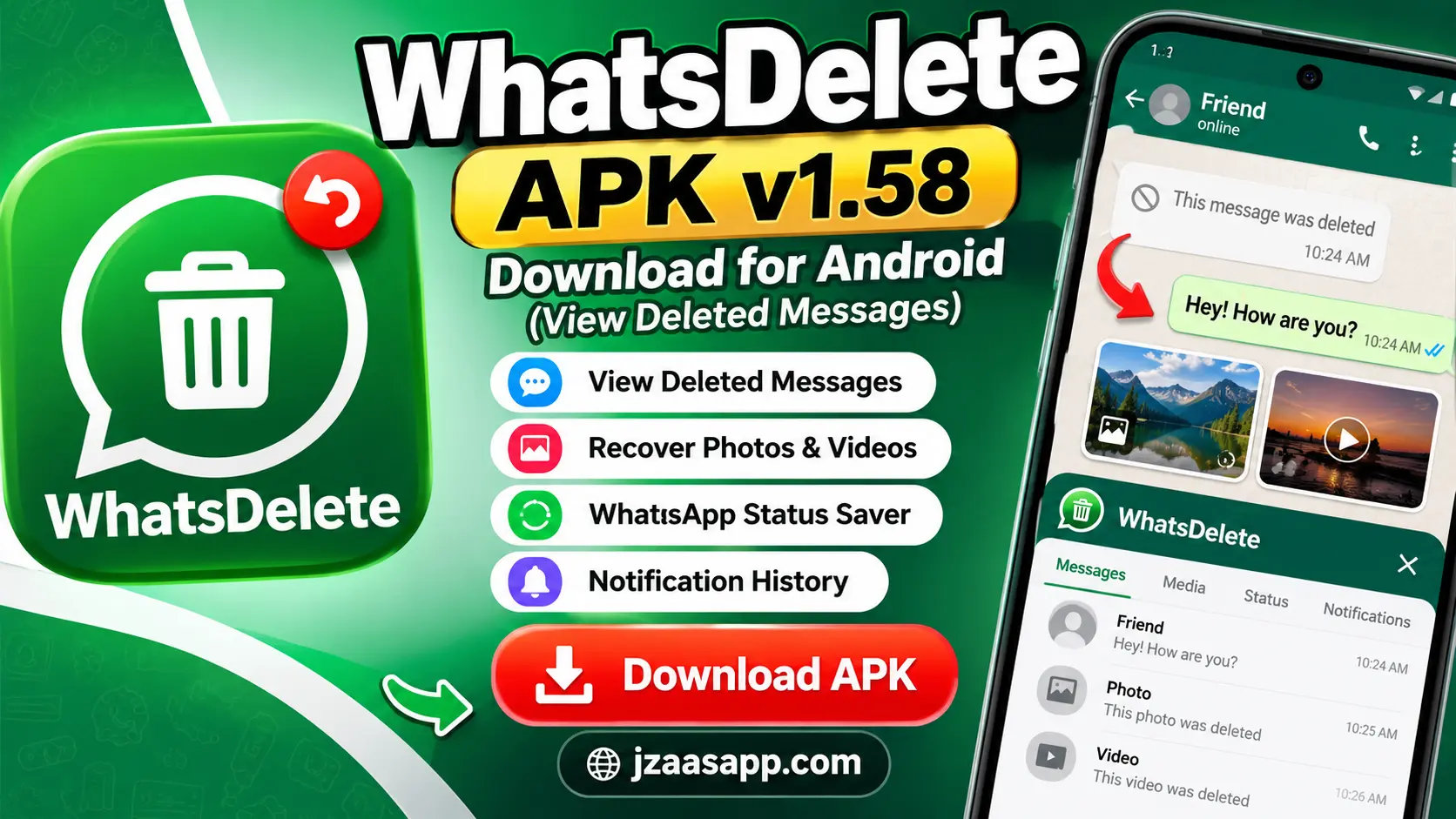
WhatsDelete APK v1.58 Download for Android (View Deleted Messages)

Have you ever received a WhatsApp message that disappeared before you could read it? You open the chat and see “This message was deleted.” Now you are wondering what the person sent. This happens to many WhatsApp users, and it can be frustrating, especially when the message looks important.
WhatsDelete APK v1.58 is an Android app designed to help you view deleted messages by saving information from your phone’s notifications. It can also help you keep certain photos, videos, voice notes, and other media files when they are available on your device.
The app offers useful tools, including deleted message recovery, notification history, and WhatsApp status saving. However, it cannot recover every deleted message. It works best when you install it before a message is deleted and keep the required permissions enabled.
In this guide, you will learn about WhatsDelete APK, its features, how it works, how to download and install it, and what to do if deleted messages are not showing.
What Is WhatsDelete APK?
WhatsDelete APK is a message recovery app for Android users. Its main purpose is to save incoming message notifications so you can check their content later, even when someone deletes the original message.
For example, imagine that your friend sends you a WhatsApp message while you are busy. Your phone receives a notification, but before you open the chat, your friend deletes the message for everyone.
If WhatsDelete was already running and saved the notification, you may still be able to read the message inside the app.
This is possible because WhatsDelete keeps a record of notifications received on your phone. It does not directly recover messages from WhatsApp’s servers or break WhatsApp’s security.
The app also includes tools for viewing saved notifications, managing available media, and saving WhatsApp statuses.
WhatsDelete v1.58 is associated with Coco Studios. The same app is currently listed under the name UnDelete Recover Messages on Google Play, so you may see that name when looking for it.
WhatsDelete APK Information
Before downloading WhatsDelete APK, you should know some basic information about the app.
| App Information | Details |
|---|---|
| App Name | WhatsDelete / UnDelete – Recover Messages |
| Version | v1.58 |
| Developer | Coco Studios |
| Category | Tools |
| Platform | Android |
| Price | Free to download |
| In-App Purchases | Available |
| Main Function | View saved notifications and deleted messages |
| Other Features | Media recovery, notification history, status saver |
| Package Name | com.cocostudios.whatsdeleted |
| Version 1.58 Update | August 2026 |
| Download Format | APK/XAPK, depending on source |
The app is free to download, although it may display advertisements or offer paid features. Its file size can also vary depending on the package and download source. Make sure you check the developer name and package details before installing it, because several Android apps have similar names.
Key Features of WhatsDelete APK
WhatsDelete APK comes with useful features that help you view deleted messages, save WhatsApp statuses, and check old notifications. These features make it easier to manage messages and media on your Android phone.
View Deleted WhatsApp Messages
WhatsDelete saves incoming message notifications so you can read them even if the sender deletes the message later. It only works when the notification was saved before deletion.
Recover Deleted Photos and Videos
This feature helps you find deleted photos and videos that were already downloaded or saved on your phone. Files that were never downloaded cannot be recovered.
WhatsApp Status Saver
WhatsDelete lets you save supported WhatsApp status photos and videos to your phone. You can view them later, even after the original status expires.
Read Messages Without Blue Ticks
You can read saved message notifications inside WhatsDelete without opening the WhatsApp chat. However, this does not guarantee that your blue ticks or online status will stay hidden.
Notification History and Message Backup
WhatsDelete keeps a record of supported incoming notifications so you can check missed messages later. It saves notification content rather than creating a complete WhatsApp chat backup.
Also, check out Nova Launcher APK to customize your Android home screen with stylish themes, icons, and layouts.
How Does WhatsDelete APK Work?
WhatsDelete works mainly by reading notifications received on your Android phone. When you install the app, it asks for permission to access notifications. Once you allow this permission and complete the setup, the app can start keeping a record of supported incoming notifications.
Here is a simple example of how the process works.
- Someone sends you a message on WhatsApp.
- Your Android phone receives a notification containing the message.
- WhatsDelete reads and saves the available notification information.
- The sender deletes the original message from WhatsApp.
- You open WhatsDelete to check the notification that was saved earlier.
This method can help you read some deleted messages, but it has limits.
For example, if you are already viewing the conversation when the message arrives, your phone may not create a normal notification. The recovery app may therefore miss that message. The same problem can happen when notifications are disabled or when a chat is muted. Another important point is that WhatsDelete cannot normally recover messages deleted before you installed and set up the app.
How to Download WhatsDelete APK on Android
Downloading WhatsDelete APK v1.58 is straightforward, but you should choose a trusted source to protect your phone and personal information.
Follow these steps:
- Open Google Play Store or a trusted app download website on your Android phone.
- Search for WhatsDelete APK v1.58 or UnDelete – Recover Messages by Coco Studios.
- Check the app name, developer, version, and package details.
- Select the correct download or install option.
- If you are downloading version 1.58 specifically, confirm the version number before installing it.
- Allow the file to finish downloading.
- Follow the installation instructions provided for that file type.
Some download sources provide the app as an XAPK file instead of a regular APK. XAPK packages may require a compatible installer, while the Google Play Store handles installation automatically. Avoid unknown websites offering modified or unlocked versions of the app. Such files may contain unwanted changes or put your personal information at risk.
Download tip: The Google Play version is generally the easier option because you do not need to manually install an APK file.
For more Android app guides, APK information, and the latest technology updates, keep visiting Jzaas for simple and useful content.
How to Use WhatsDelete to View Deleted Messages
After installing the app, you need to configure it properly. Without notification access, its main recovery feature may not work.
Here is how to get started.
Step 1: Open WhatsDelete
Launch the app from your Android phone. Read the welcome instructions if they appear.
Step 2: Enable Notification Access
Open the notification access settings when prompted and select WhatsDelete or UnDelete. Review the permission carefully before allowing access. This permission can let the app read sensitive information displayed in notifications, including message previews.
Step 3: Keep WhatsApp Notifications Enabled
Open your phone’s Settings and find the notifications section. Make sure WhatsApp is allowed to send notifications. Also check that message notifications are enabled in WhatsApp.
Step 4: Allow Background Activity
Some Android phones stop apps from running in the background to save battery. If WhatsDelete stops saving messages, check your phone’s battery settings and make sure it is not being closed unnecessarily. You do not need to disable all battery protection on your phone.
Step 5: Check Saved Messages
When a new message arrives, WhatsDelete may save its notification. Open the app and look for the saved message or notification history section. If the sender deletes the message afterward, the previously saved text may still be available there.
Step 6: Check Available Media
For photos, videos, and other files, open the relevant media section inside the app. Only files that were received, downloaded, or otherwise saved may be available for recovery. You can use a test message from someone who agrees to help you check whether the setup is working properly.
Is WhatsDelete APK Safe to Use?
WhatsDelete requires careful permission management because its main feature involves reading notifications. Notification access is useful for saving message previews, but it is also a sensitive permission. An app with this access may be able to see information from notifications sent by other apps. The Coco Studios app has a Google Play listing with developer provided data safety information. However, an app being listed on Google Play does not mean it is completely free from privacy risks.
Before installing WhatsDelete, follow these safety tips:
- Download from Google Play or a source you trust.
- Check the developer and package name.
- Read the app’s privacy policy.
- Review all requested permissions.
- Avoid modified APK files from unknown websites.
- Keep Google Play Protect enabled.
- Remove notification access when you no longer need the app.
If you do not feel comfortable giving a third-party app access to your notifications, you can use your phone’s built-in notification history instead, if your Android device supports it.
On supported Android phones, open Settings → Notifications → Notification History.
This feature can show recently received or dismissed notifications, but it must be enabled in advance and does not recover every deleted WhatsApp message.
Also, check out Quick App Ninja to create your own Android quiz games without coding using simple drag and drop tools.
Common WhatsDelete APK Problems and Solutions
Sometimes WhatsDelete does not work as expected. Most common issues are related to permissions, notifications, or phone settings.
WhatsDelete Not Showing Deleted Messages
This problem usually happens when the app cannot save incoming notifications.
Possible solutions:
- Check whether notification access is enabled.
- Make sure WhatsApp notifications are turned on.
- Check whether the conversation is muted.
- Allow the recovery app to run in the background when needed.
- Restart your phone and test the app with a new message.
Also remember that messages deleted before the app was installed cannot normally be recovered.
Deleted Photos and Videos Not Appearing
If WhatsDelete shows text messages but not media files, the original media may not have been downloaded. Try opening WhatsApp and going to Settings → Storage and Data → Media Auto-Download.
Review the settings for photos and videos, then select the network conditions under which you want files to download.
Media files may still be unavailable if they were removed before being saved or if WhatsApp did not provide the necessary access.
WhatsDelete APK Not Installing
Installation errors can happen for several reasons, such as an unsupported file type, a damaged download, or an incompatible Android version.
Try these steps:
- Check whether your phone supports the app.
- Make sure enough storage space is available.
- Download the file again from a trusted source.
- Check whether the file is an APK or XAPK.
- Try installing the available Google Play version instead.
Do not bypass Android security warnings without understanding the risks.
WhatsDelete Stops Working in the Background
Some Android phones automatically close background apps when the battery gets low. Open your phone’s battery or app management settings and check whether WhatsDelete is being restricted. Allow suitable background activity if you want the app to keep saving incoming notifications. The exact settings depend on your phone brand and Android version.
WhatsDelete Status Saver Not Working
If saved statuses are missing, first open the required status in WhatsApp. Then return to WhatsDelete and check the status saver section. Also check whether the app has the media permissions needed to save supported files. Some statuses may not be available because of Android storage restrictions or changes in WhatsApp.
Pros and Cons of WhatsDelete APK
WhatsDelete APK has several useful features, but it also has some limitations. Here are the main advantages and disadvantages of using this app.
| Pros | Cons |
|---|---|
| Helps view deleted messages | Cannot recover all deleted messages |
| Simple and easy to use | Requires notification access |
| Supports some media recovery | Cannot recover files never saved |
| Includes WhatsApp status saver | May not work with muted chats |
| No root access required | May show ads |
| Saves incoming notifications | May stop working in the background |
Conclusion
WhatsDelete APK v1.58 is a useful app for Android users who want to view deleted WhatsApp messages and manage saved notifications. It also offers features like media recovery and WhatsApp status saving, making it a handy tool for everyday use.
The app is simple to use and does not require root access. However, it can only recover messages and media that were saved before deletion. For a better experience, download WhatsDelete APK from a trusted source and enable the required permissions.
FAQs
Can WhatsDelete Recover Messages Deleted Before Installation?
No. WhatsDelete normally works by saving notifications received after you install and set up the app. It cannot go back and collect notification information that was never recorded. If you need an older conversation, you may need to check whether you have a suitable WhatsApp backup instead.
Does WhatsDelete Work Without Root?
Yes. WhatsDelete uses Android notification access and available media features. Its normal message recovery functions do not require you to root your phone.
Why Is WhatsDelete Not Showing Deleted Messages?
The most common reasons include disabled notifications, missing notification access, muted conversations, or background restrictions. You may also miss messages when you are already viewing the chat or when the original notification contains no message text.
Does WhatsDelete Require Notification Access?
Yes, notification access is needed for its main notification based message recovery feature. You should review this permission carefully because it can expose private notification content to the app.
Is WhatsDelete APK Free to Use?
Yes, WhatsDelete is available as a free download. However, the Coco Studios app includes advertisements and offers in app purchases. Available features and charges may vary between versions.
Can WhatsDelete Recover Deleted Voice Messages?
It may help recover certain voice notes if the audio files were already downloaded or saved. However, it cannot guarantee recovery of voice messages that were never stored on your phone.
Can I Use WhatsDelete on an iPhone?
The WhatsDelete v1.58 app discussed here is an Android application. You cannot directly install its Android APK on an iPhone. iPhone users should use recovery and backup options that are designed for iOS.



One Comment