
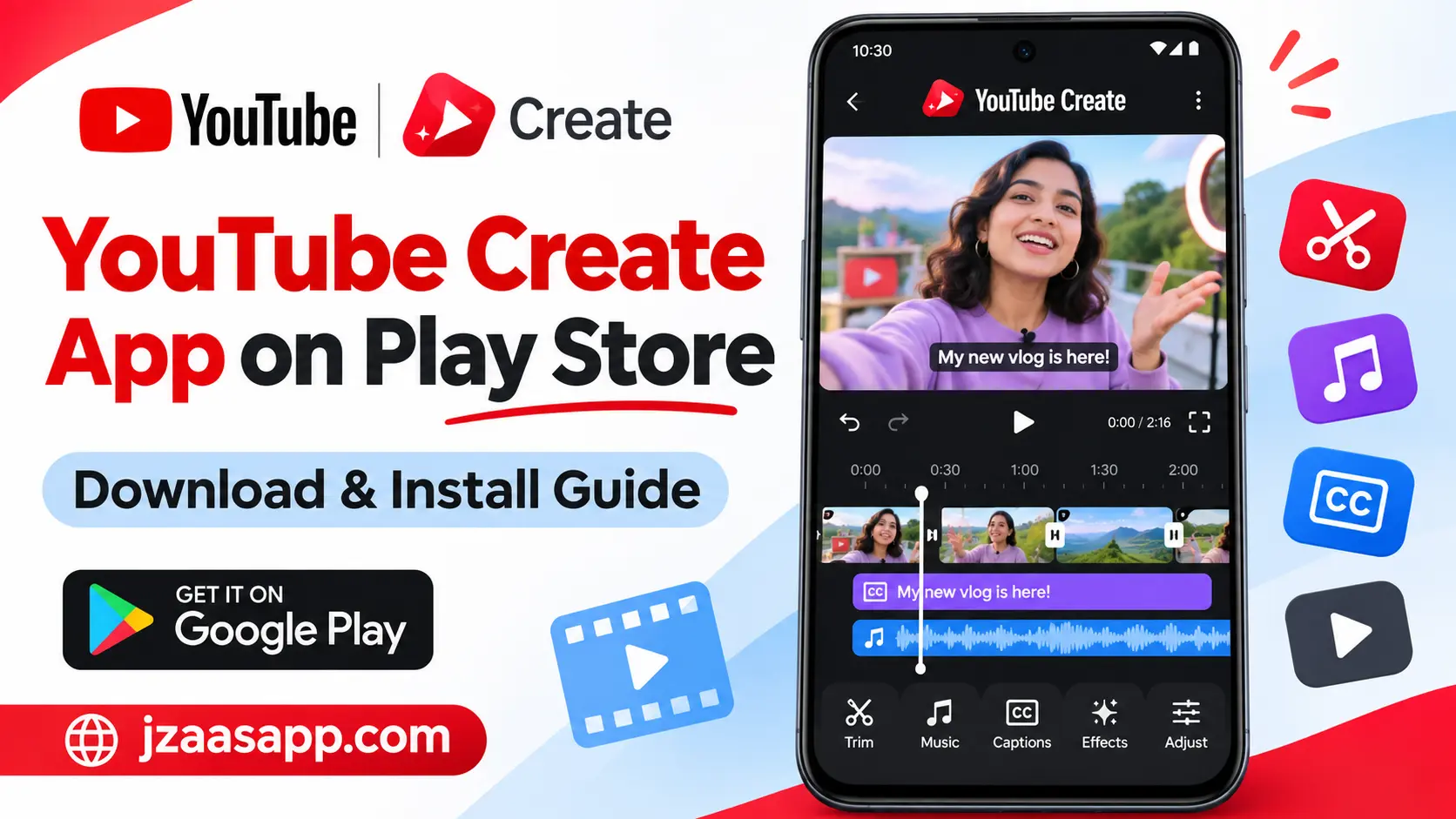
YouTube Create App on Play Store – Download & Install Guide

Creating videos for YouTube can take a lot of time, especially when you are new to video editing. Many beginners want a simple way to cut clips, add music, insert captions, and improve their videos without using complicated software. The YouTube Create App on Play Store offers an easy way to edit videos directly on supported Android phones.
YouTube Create is an official video editing application developed by Google LLC for people who make YouTube Shorts and longer videos. It includes useful tools such as automatic captions, background noise removal, video effects, and music. In this guide, you will learn about its main features, download process, Android requirements, availability, and common installation problems.
YouTube Create App (Quick Information)
| App Details | Information |
|---|---|
| App Name | YouTube Create |
| Developer | Google LLC |
| Category | Video Players & Editors |
| Platform | Android and supported iPhones |
| Android Version | Android 8.0 or later |
| Minimum RAM | 4GB |
| Availability | Selected countries and regions |
| Main Features | Video editing, captions, music, effects, AI tools |
| Pricing | Free |
| Advertisements | No ads in the editor |
| Internet Requirements | Required for downloading and certain online features |
| Download Source | Google Play Store |
| Last Verified | November 2026 |
What Is the YouTube Create App?
YouTube Create is a free mobile video editing app designed to make video creation easier for beginners and content creators. It allows users to combine videos, photos, and audio while adding useful editing elements such as transitions, music, captions, and visual effects.
The app is particularly helpful for YouTubers who want to create Shorts, tutorials, vlogs, and other videos using their phones. Unlike complex desktop editing software, YouTube Create provides editing tools within a mobile-friendly interface.
Another useful feature is its connection with YouTube. After finishing a video, users can export it to their device or upload it directly to their YouTube channel. This makes the process of creating and sharing content more convenient.
If you want to explore more creative video editing tools, you can also try the Funimate Video Editor & Maker App, which offers video effects, transitions, and editing features for creating engaging social media videos.
Key Features of YouTube Create App
YouTube Create offers different video editing tools that help users improve the appearance and sound of their videos. From basic trimming to automatic captions and AI powered editing, these features make video creation easier.
1. Easy Video Cutting and Trimming
YouTube Create allows users to cut unwanted parts from videos, trim clips, and combine different recordings into one project. You can also crop clips and change their playback speed. These tools are useful when removing mistakes or preparing short videos for YouTube.
2. Automatic Captions and Subtitles
The app includes an automatic captioning feature that can generate subtitles from spoken audio. This saves time because users do not need to type every word manually. However, automatic captions are supported only in selected languages, and generated text may need correction.
3. Background Noise Removal
YouTube Create provides an audio cleanup tool that helps reduce distracting background noise. This feature can be useful for tutorials, voice recordings, and videos recorded in noisy places. The final result depends on the quality of the original recording.
4. Free Music and Sound Effects
The app provides access to music tracks and sound effects that can make videos more interesting. It also supports beat matching, helping users align clips with the rhythm of a soundtrack. Music usage and export conditions may depend on the selected track and YouTube’s licensing rules.
5. Video Filters and Transitions
YouTube Create includes a variety of video filters, visual effects, and transitions. Users can adjust brightness, colors, and other visual settings to improve their recordings. Transitions are especially useful when connecting multiple scenes in travel videos, vlogs, and tutorials.
6. Voiceover Recording
The built in voiceover feature allows users to record narration directly inside the editing app. This is helpful when creating educational videos, product demonstrations, or tutorials. Instead of using another recording application, creators can add their narration while editing.
7. Text, Stickers, and Animated Effects
YouTube Create allows users to add text, stickers, GIFs, and animated elements to their videos. These features can highlight important information, introduce topics, and make videos more visually interesting without requiring advanced editing knowledge.
8. Video Templates and AI Editing
YouTube Create includes customizable templates that help users create videos using ready-made layouts. It also offers AI-powered tools for selected countries, including features that help generate or arrange video content. The availability of individual AI tools depends on the user’s region.
9. Background Removal and Chroma Key
The app supports background removal through cutout and chroma key tools. These features allow creators to change the appearance of video backgrounds and create more interesting scenes. Results may vary depending on the original footage and lighting conditions.
10. Video Export and Direct YouTube Upload
After editing, users can save videos on their phones or upload them directly to YouTube. The Google Play listing advertises export support up to 4K resolution and 60 frames per second. Available export settings may depend on the device and project.
How to Download YouTube Create App from Play Store?
You can download YouTube Create from the official Google Play Store if the app is available in your country and your Android phone meets the minimum requirements. Follow these steps to download and install the application.
Step 1: Open Google Play Store
Unlock your Android phone and open the Google Play Store application. Make sure your phone has a working internet connection and that you are signed in to your Google account.
Step 2: Search for YouTube Create
Type YouTube Create in the Play Store search bar and look for the official application published by Google LLC. Check the developer’s name carefully to avoid downloading a similarly named application.
Step 3: Tap the Install Button
Open the official app listing and tap the Install button if it is available. Google Play will begin downloading the application and automatically install it on your Android device.
Step 4: Open YouTube Create
After installation, tap Open to launch the app. Sign in with your Google account, follow the initial instructions, and grant the permissions needed to access your selected photos and videos.
If the Play Store says the app is unavailable or incompatible, check the country restrictions and device requirements before trying again.
If you prefer automatic video editing with ready made templates, you can also explore our LightCut Video Editing Guide to learn about its AI powered editing tools, creative effects, and video editing features.
How to Use YouTube Create for Video Editing?
Once the app is installed, you can start editing videos using its built-in tools. Beginners can begin with a simple project and gradually explore more advanced features.
Step 1: Create a New Project
Open YouTube Create and sign in to your account. On the home screen, tap the plus (+) button to begin a new editing project.
Step 2: Import Photos and Videos
Choose the videos or photos you want to edit from your phone’s gallery. You can select multiple media files and tap Import to add them to your project.
Step 3: Edit Your Video
Use the available editing tools to trim clips, adjust their order, add transitions, and change playback speed. You can also include music, captions, voiceovers, stickers, or other effects to improve your video.
Step 4: Preview Your Changes
Play the edited video before saving it. Check whether the clips appear in the correct order, captions are accurate, and the background music matches the content.
Step 5: Save or Upload Your Video
When your video is ready, open the export option and choose the available video quality. You can save the finished video to your device or continue with the option to upload it directly to your YouTube channel.
Is YouTube Create App Available in Every Country?
No, YouTube Create is not available in every country. Google has released the application in selected countries and regions, and its availability may expand in the future.
According to the official YouTube Create availability page, supported locations include the United States, United Kingdom, India, Indonesia, Canada, Australia, Germany, France, South Korea, and several other countries.
As of November 2026, Pakistan is not included in YouTube’s official supported country list. Users in unsupported regions may be unable to find or install the app through Google Play, even if their phones meet the hardware requirements.
Before attempting to download the application, check the official country list for the latest availability information.
Why Is YouTube Create App Not Showing on Play Store?
Some Android users may not find YouTube Create when searching the Google Play Store. This can happen because of regional restrictions, device compatibility, or other Play Store issues.
1. App Is Not Available in Your Country
YouTube Create is currently limited to selected regions. If your country is not supported, the app may not appear in search results or may show an availability message.
2. Your Android Phone Is Not Compatible
The app requires Android 8.0 or later and at least 4GB of RAM. Phones that do not meet these requirements may be marked as incompatible.
3. Google Play Store Needs Updating
An outdated Play Store or temporary application problem can sometimes affect app searches and downloads. Try updating Google Play, restarting your phone, and checking the listing again.
4. Download or Storage Problems
Insufficient storage space or an unstable internet connection may prevent installation. Free up some space, connect to a stable network, and try downloading the app again.
Important |
|---|
If the app is restricted in your country, restarting your phone or clearing the Play Store cache will not remove that official restriction. Avoid downloading unknown or modified APK files to bypass availability limitations. |
Is YouTube Create App Free to Use?
Yes, YouTube Create is a free video editing application. According to YouTube’s official Help Center, the app allows creators to edit both YouTube Shorts and longer videos without paying a subscription fee or watching advertisements inside the editor.
The free editing tools include video trimming, audio cleanup, captions, transitions, and other supported features. However, some tools are limited by country or language, and music usage is subject to applicable licensing conditions.
Is YouTube Create App Safe for Android?
YouTube Create is an official Google LLC application available through Google Play in supported regions. Downloading from its genuine Play Store listing is safer than installing modified or unverified APK files from unknown websites.
Users should still review the app’s privacy details and requested permissions. Its Google Play data safety section states that the app may collect personal information, app activity, and other data types. Google also reports encryption during data transmission and an option to request data deletion.
For more Android app guides, APK information, and the latest technology updates, keep visiting Jzaas for simple and useful content.
YouTube Create App Requirements
Before downloading YouTube Create, make sure your device meets the necessary technical and regional requirements. A compatible Android version alone does not guarantee that the app will be available on your phone.
| Requirement | Details |
|---|---|
| Operating System | Android |
| Minimum Android Version | Android 8.0 |
| Minimum RAM | 4GB |
| Google Account | Required for sign-in |
| Country Availability | Selected supported regions |
| Storage | Enough free space for the app and video projects |
| Internet Connection | Required for downloading, uploading, and certain online tools |
| Permissions | Access to selected media and other required functions |
| Download Source | Official Google Play Store |
Users with supported iPhones can also access YouTube Create. According to YouTube, the iPhone version requires an iPhone XR or newer running iOS 17 or later, along with regional availability.
Common YouTube Create Problems and Solutions
Although YouTube Create is designed to simplify editing, users may still experience problems while downloading, editing, or exporting videos. Here are some practical solutions.
YouTube Create Is Not Downloading
Check your internet connection, available storage, Android version, and country availability. If the app is supported in your region but downloads are failing, restart Google Play Store and try again.
YouTube Create Video Export Failed
Complex projects containing many overlapping video layers, stickers, transitions, or effects can sometimes fail during export. Try removing unnecessary elements or reducing the export quality from 1080p to 720p.
Music or Stickers Are Not Loading
Some music and sticker features depend on online resources. A weak internet connection may cause these elements to load slowly. Connect to a stronger network and reopen the relevant tool.
YouTube Create Cannot Upload a Video
Make sure you have a stable internet connection and that the YouTube app is installed on the same Android profile. Also, check that you are signed in to the correct YouTube account.
Music Disappears After Exporting
Some licensed music from the YouTube Shorts Audio Library may be removed when exporting videos longer than 15 seconds to your device. YouTube recommends uploading directly to the platform when using eligible longer music clips, subject to its licensing limits.
(FAQs)
1. Is YouTube Create Available on Google Play Store?
Yes, YouTube Create is officially listed on the Google Play Store under Google LLC. However, installation depends on your country and whether your Android phone meets the supported requirements.
2. Can I Use YouTube Create to Edit YouTube Shorts?
Yes, YouTube Create supports both YouTube Shorts and longer videos. You can trim clips, add music, include captions, and adjust video dimensions before exporting.
3. Is YouTube Create Available for iPhone?
Yes, YouTube Create is available for supported iPhones in eligible countries. YouTube specifies iPhone XR or newer models running iOS 17 or later.
4. Can I Download YouTube Create on a PC?
YouTube Create is primarily offered as a mobile editing application. Google does not advertise a dedicated Windows desktop version, so users should be careful with websites claiming to provide an official PC installer.
5. Can YouTube Create Export Videos in 4K?
Yes, the official Google Play listing advertises video export at up to 4K resolution and 60 fps. Actual export options may depend on device capabilities, app version, and project settings.
Conclusion
YouTube Create is a useful video editing application for people who want to make YouTube Shorts, tutorials, vlogs, and longer videos using their phones. Its combination of trimming tools, music, automatic captions, audio cleanup, and visual effects makes it a convenient option for beginners and regular content creators.
Before downloading, check whether your country and Android device are supported. If YouTube Create is available to you, install it from the official Google Play Store and begin with a simple editing project. You can also explore more video editing apps on Jzaas to find tools that match your needs.


One Comment