
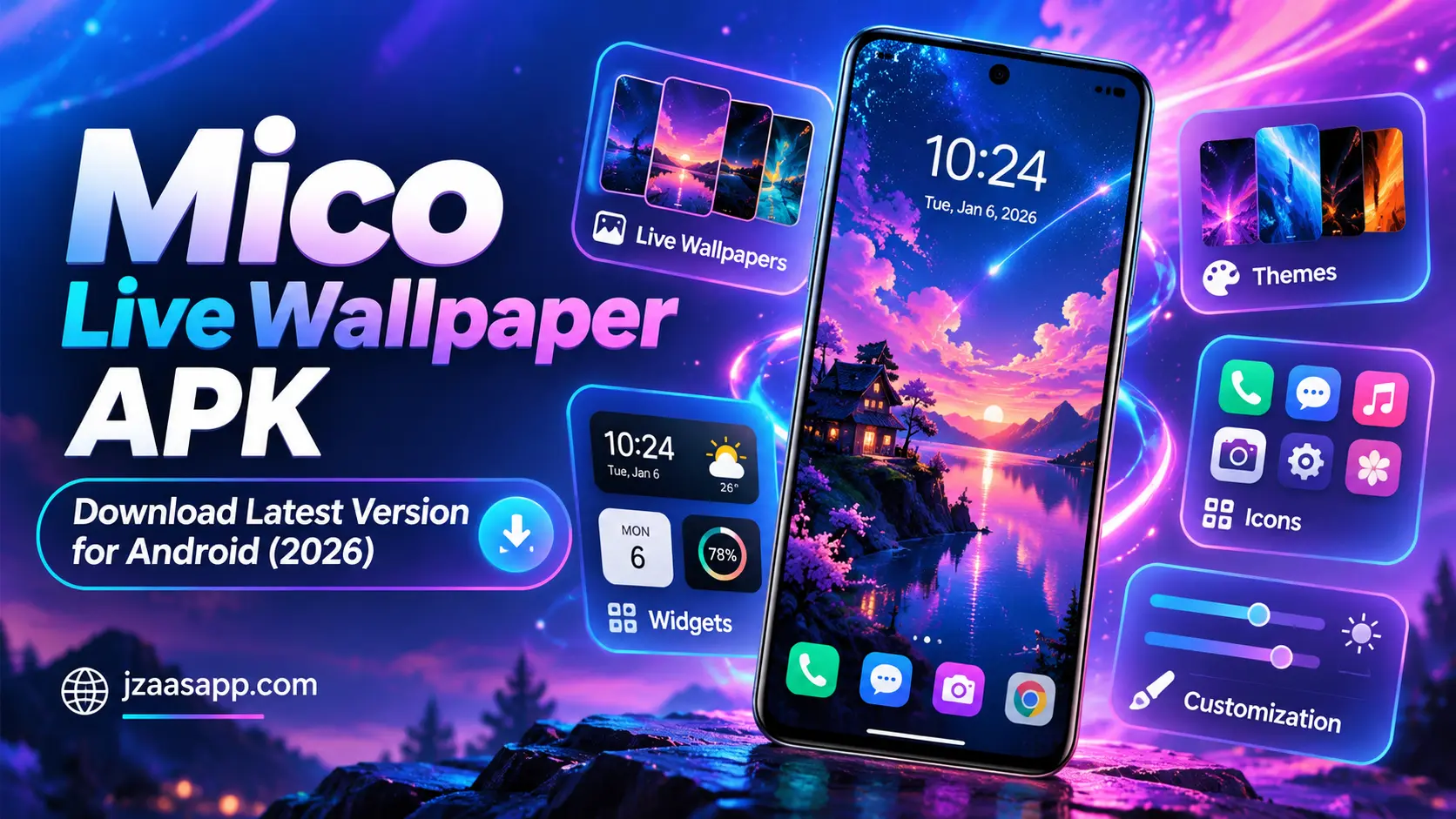
Mico Live Wallpaper APK Download Latest Version for Android (2026)

Want to give your Android phone a fresh look without changing the device itself? Mico Live Wallpaper APK is a popular search among people who want animated backgrounds, attractive widgets, and beautiful home screen designs. Instead of using ordinary wallpapers, you can explore moving backgrounds, customize your screen, and make your phone look more personal.
Mico offers different customization options, including 4K live wallpapers, photo widgets, battery widgets, themes, and app icons. You can also create wallpapers using your own photos and videos. In this guide, you will learn about Mico’s features, how to download and install it, how to use its customization tools, and whether the app is free and safe for Android devices.
Mico Live Wallpaper APK (Quick Information)
| App Details | Information |
|---|---|
| App Name | Mico – Widget & Live Wallpaper |
| Category | Personalization |
| Platform | Android |
| Availability | Google Play Store; availability may vary by region |
| Main Features | 4K Live Wallpapers, Widgets, Themes, Custom Icons |
| Pricing | Free to download; contains ads and in-app purchases |
| Internet Requirements | Required for downloading and accessing online content |
| Android Compatibility | Depends on the app version and device |
What Is Mico Live Wallpaper APK?
Mico Live Wallpaper is an Android personalization app that helps users change the appearance of their home screen and lock screen. Its official name is Mico – Widget & Live Wallpaper, and it combines animated wallpapers, customizable widgets, themes, and icons in one place.
The app allows users to explore different wallpaper styles, including anime, landscapes, and artistic backgrounds. It also provides tools for creating personal wallpapers and designing widgets with photos or other visual elements.
Unlike a basic wallpaper app, Mico offers more ways to organize and decorate your screen. You can combine wallpapers with matching icons and useful widgets to create a consistent design without needing advanced editing skills.
Key Features of Mico Live Wallpaper APK
Mico provides several customization tools to make Android screens more attractive and useful. Its main features focus on animated wallpapers, personal designs, widgets, and matching home screen themes.
4K Live and Animated Wallpapers
Mico offers a collection of 4K live wallpapers designed to give Android screens a more colorful and animated appearance. Users can explore different styles, including anime, nature, landscapes, and abstract designs. The final display quality depends on the phone’s screen and the selected wallpaper.
Customizable Home Screen Widgets
The app includes widgets that help users decorate their home screens while displaying useful information. Available designs include photo widgets, music-related widgets, and other creative layouts. These widgets can help create a more organized and personalized screen.
Aesthetic Themes and App Icons
Mico provides different visual themes and icon styles for users who want a matching home screen design. You can explore colorful, simple, playful, and artistic looks. Some icon changes may require additional setup, depending on your Android launcher.
DIY Photo and Video Wallpapers
One of Mico’s useful features is its wallpaper creation tool. You can use personal photos and supported video content to create customized backgrounds. This makes it possible to display your favorite memories, artwork, or selected clips instead of relying only on ready-made wallpapers.
Also, check out DiskDigger APK to recover accidentally deleted photos on your Android phone and use them to create personalized wallpapers.
Battery and Couple Widgets
Mico includes battery widgets with creative visual styles and couple-themed widgets for personalized screen designs. Battery widgets provide another way to display battery information, while couple widgets offer matching decorative options. Available designs and functions may vary by version.
AI Filters and Portrait Effects
The app also advertises AI powered filters and depth effects for portrait wallpapers. These tools are designed to make selected images more visually interesting. The available editing options and any associated charges should be checked inside the current app version.
How to Download and Install Mico Live Wallpaper APK on Android?
Downloading Mico Live Wallpaper APK is quick and easy. Follow these simple steps to download and install the app on your Android device.
- Click Download: Tap the Download APK button below.
- Wait for Download: Let the APK file download to your phone.
- Open the File: Go to your Downloads folder and tap the downloaded APK.
- Install the App: Tap Install. If your phone asks for permission, allow installation only if you trust the file.
- Start Using Mico: Once installed, tap Open and enjoy live wallpapers and widgets.
Also, check out Nova Launcher APK to customize your Android home screen with unique layouts, icons, and widgets.
How to Use Mico Live Wallpaper?
Mico is designed to make phone customization easier for beginners. After installing the app, you can browse available wallpapers, try different designs, and add widgets that match your preferred home screen style.
Step 1: Open the Mico App
Launch Mico from your Android app drawer or home screen. Allow only the permissions needed for the features you plan to use, and explore the available customization options.
Step 2: Choose a Live Wallpaper
Browse the wallpaper collection and select a design you like. You can explore different categories, including animated backgrounds, nature scenes, and anime-inspired wallpapers.
Step 3: Preview Your Wallpaper
Open your selected wallpaper to check its appearance before applying it. Some designs may include moving effects or additional customization options, depending on the available version.
Step 4: Apply the Wallpaper
Use the available apply or set wallpaper option and follow the instructions shown on your phone. Depending on your Android device, you may be able to apply the design to your home screen, lock screen, or both.
Step 5: Create Your Own Wallpaper
Explore Mico’s DIY wallpaper tools if you want to create a personal background. Select a supported photo or video, make the available adjustments, and save or apply your design.
Step 6: Add Widgets to Your Home Screen
Open the widget collection and choose a suitable design, such as a photo or battery widget. Follow Mico’s setup instructions to place it on your home screen. The exact process may differ between Android launchers.
Is Mico Live Wallpaper APK Free to Use?
Yes, Mico is free to download from the Google Play Store. Users can access available free customization options, including selected wallpapers, widgets, and screen designs. This makes it possible to try the app without paying an initial download fee.
However, Mico contains advertisements and offers in-app purchases. Certain wallpapers, themes, widgets, or advanced customization tools may require payment. Always check whether a feature is free or paid before making a purchase, and review any subscription terms shown inside the app.
Is Mico Live Wallpaper APK Safe for Android?
The official Mico application is available on Google Play, which uses security checks to help detect potentially harmful apps. However, no app can be guaranteed completely risk-free. Downloading from the official listing is preferable to installing modified or unverified APK files from unknown websites.
Before using Mico, review its requested permissions and the Data Safety information on Google Play. The listing indicates that the app may collect certain types of user data. Avoid providing unnecessary personal information, keep Google Play Protect enabled, and install updates from trusted sources.
For more Android app guides, APK information, and the latest technology updates, keep visiting Jzaas for simple and useful content.
Mico Live Wallpaper APK Requirements
Mico’s compatibility and performance depend on your Android device and the app version. Before downloading, check that your phone has enough free storage, supports the available features, and can run the current release.
| Requirement | Details |
|---|---|
| Operating System | Compatible Android version required; check Google Play |
| Device | Supported Android smartphone or tablet |
| Storage | Sufficient free space for the app and wallpaper content |
| Internet | Recommended for downloads, updates, and online content |
| Permissions | Depend on the features being used |
| Performance | Animated wallpaper performance varies by device |
| App Updates | Available through Google Play when supported |
Some independent app listings report Android 6.0 or later for recent Mico releases. However, the best way to confirm compatibility is to open the current Google Play listing on your own device.
Pros and Cons of Mico Live Wallpaper APK
Mico combines several personalization features in a single app, but it also has limitations worth understanding. Consider the following advantages and disadvantages before installing it.
| Pros | Cons |
|---|---|
| Offers animated and 4K live wallpapers | Animated backgrounds may use additional battery power |
| Includes customizable photo and battery widgets | Some customization options require payment |
| Supports personal wallpaper creation | Advertisements may interrupt the experience |
| Provides matching themes and app icon styles | Certain features depend on Android compatibility |
| Offers multiple screen customization tools | Some widgets may need extra permissions or setup |
For users who enjoy changing their phone’s appearance regularly, Mico provides several creative options. However, people who prefer simple backgrounds and minimal battery usage may find ordinary static wallpapers more suitable.
Why Is Mico Live Wallpaper Not Working?
Mico may occasionally fail to apply a wallpaper, display a widget, or load certain content. These problems can happen because of device restrictions, network issues, outdated app versions, or incorrect settings.
Check Your Internet Connection
If wallpapers or themes are not loading, check your Wi-Fi or mobile data connection. Restarting the connection may help when the app cannot retrieve online content.
Update the Mico App
Open Google Play and check whether an update is available. Installing the latest compatible version may fix problems that were addressed in a newer release.
Review App Permissions
Some personalization features need permission to access photos or perform specific functions. Open your phone’s app settings and check whether the required permissions are enabled.
Check Battery Restrictions
Android phones may limit background activity to save battery power. If a widget stops updating, review the app’s battery settings and allow appropriate background activity where needed.
Restart or Reinstall the App
Restart Mico or your phone if the problem continues. You can also try clearing the app’s cache or reinstalling it from Google Play. Back up any custom designs you want to keep before clearing app data or uninstalling.
Best Alternatives to Mico Live Wallpaper APK
If you want to try other apps similar to Mico Live Wallpaper, several Android customization apps offer useful features. Some focus on animated wallpapers, while others provide advanced widgets and personalized screen designs. Here are three alternatives worth considering.
| App Name | Main Features | Best For |
|---|---|---|
| Zedge Wallpapers & Ringtones | Live wallpapers, 4K backgrounds, ringtones, AI wallpapers | Wallpapers and phone personalization |
| KWGT Kustom Widget Maker | Custom clocks, photo widgets, battery indicators, weather widgets | Advanced home screen widgets |
| Wallpaper Engine | Video wallpapers, GIF backgrounds, animated scenes | Creating and using animated wallpapers |
Zedge is suitable for users who want ready-made wallpapers and ringtones. KWGT offers more control over widget designs, while Wallpaper Engine is useful for users who prefer video and animated backgrounds.
(FAQs)
Can I Use Mico Live Wallpaper Without Paying?
Yes, Mico is free to download and offers free customization options. However, some wallpapers, widgets, themes, or advanced features may require an in-app purchase.
Does Mico Live Wallpaper Drain Battery?
Live wallpapers may consume more power than ordinary static backgrounds because they display animated content. The actual battery usage depends on your phone, the selected wallpaper, and how often the animation runs.
Can I Use My Own Photos and Videos in Mico Live Wallpaper?
Yes, Mico advertises tools for creating wallpapers from personal photos and supported video content. Available editing options may differ between app versions, and certain features may require payment.
Does Mico Live Wallpaper Work Without the Internet?
An internet connection is needed to download the app and access online wallpaper collections or updates. Some previously saved content may remain usable offline, but offline functionality depends on the feature and app version.
Is Mico Live Wallpaper Available for iPhone?
Yes, Mico’s official website provides an App Store option for Apple devices. However, an Android APK cannot be installed on an iPhone, so iPhone users should download the compatible iOS version instead.
Conclusion
Mico Live Wallpaper APK is a useful option for Android users who want to personalize their phones with animated backgrounds, creative widgets, and matching themes. Its wallpaper creation tools also make it possible to use personal photos and supported videos for a more individual design. The combination of wallpapers and widgets gives users several ways to refresh their home screens.
Before installing Mico, check your device’s compatibility, review the app’s permissions, and understand which features require payment. Downloading the official version through Google Play is the recommended approach for safer installation and easier updates.


One Comment