
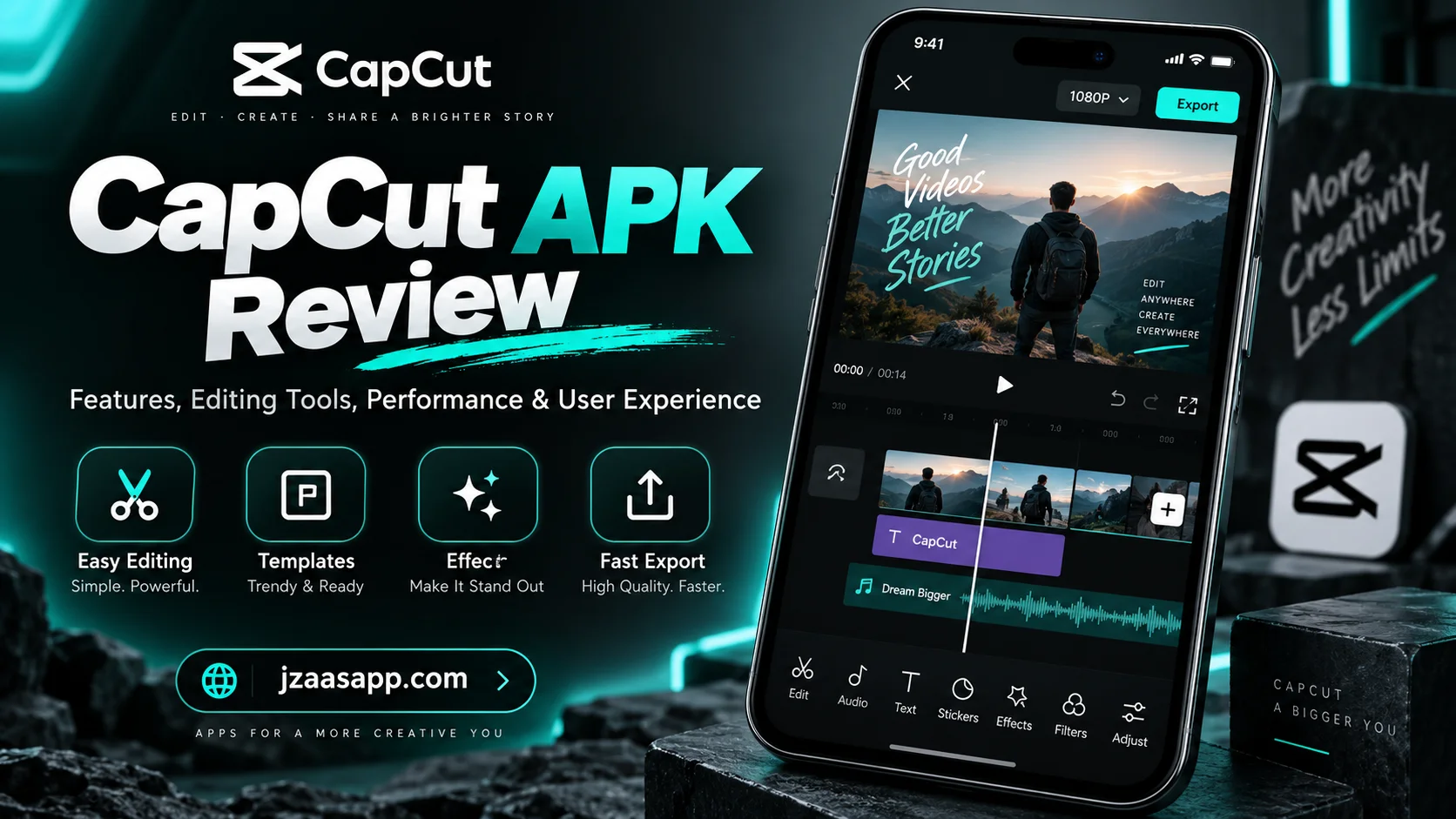
CapCut APK Review: Features, Pros, Cons and Safety

If you are editing videos on your smartphone and looking for an easy tool with advanced features, CapCut APK is one of the most popular choices among mobile creators. The app provides powerful video editing tools that help users create social media videos, reels, tutorials, product clips, and personal content without using complicated software.
CapCut APK combines basic editing options with advanced features such as filters, transitions, captions, AI tools, audio controls, templates, and high quality export settings. Its simple interface makes video editing easier for beginners, while its advanced tools give experienced creators more control over their projects.
In this CapCut APK review, we explore its features, performance, user interface, pros and cons, safety, and overall value for Android users.
What Is CapCut APK?
CapCut APK is the Android installation package of the CapCut video editing application. APK stands for Android Package Kit, which is the file format Android uses to install applications. CapCut allows users to import videos and photos, trim clips, add music, insert text, apply effects, change video speed, create captions, and export finished videos.
The app mainly focuses on mobile video editing and works well for TikTok videos, Instagram Reels, YouTube Shorts, Facebook videos, tutorials, product clips, and personal videos. CapCut also includes automatic editing features that reduce manual work and make video creation faster.
If you want to explore another popular video editor, check our complete guide on KwaiCut Video Editor App.
CapCut APK Review: Quick Overview
CapCut APK provides a complete mobile editing experience for Android users. It combines simple editing tools with advanced features that work for both beginners and regular content creators.
Some of its main features include:
- Video trimming and splitting
- Filters and visual effects
- Templates and transitions
- Text and automatic captions
- Music and sound effects
- AI editing tools
- Background removal
- Speed control
- High quality video export
The interface is clean and easy to understand. Most editing tools appear inside the main editing screen, which makes the editing process simple and organized.
Key Features of CapCut APK
CapCut APK includes a wide range of tools for creating professional looking videos on Android devices.
Video Editing Tools
CapCut provides all essential tools required for basic video editing. Users can trim unwanted sections, split clips, crop frames, rotate videos, delete scenes, duplicate clips, and rearrange content on the timeline. The timeline gives users direct control over every video clip. They can adjust clip length, change the order of scenes, and control the overall flow of the video. These tools make CapCut useful for both simple and detailed video projects.
Filters and Video Effects
CapCut provides filters that change the visual appearance of a video. Users can adjust brightness, contrast, saturation, exposure, temperature, shadows, and other visual settings. The app also includes video effects that add movement, light, blur, animation, and other visual styles. These tools help creators improve the appearance of their videos without using desktop editing software.
Templates
CapCut templates make video editing faster. A template already contains timing, transitions, effects, visual elements, and text styles. Users only add their own photos or video clips, and CapCut applies the selected template design. This feature works well for short social media videos because it reduces the amount of manual editing required.
Transitions
Transitions connect one video clip with another and improve the flow between scenes. CapCut provides different transition styles that users can place between clips. Users can also control the duration of each transition. Smooth transitions make scene changes feel more natural and improve the overall viewing experience.
Text and Captions
CapCut includes text tools for titles, labels, subtitles, and other on screen information. Users can change the font, size, position, color, style, and animation of text. The app also provides automatic captions. This feature converts spoken audio into written text and helps creators add subtitles without typing every sentence manually. Captions also make videos easier to understand when viewers watch them without sound.
AI Editing Features
CapCut includes AI powered tools that automate different editing tasks. These tools help with background removal, automatic captions, image improvement, voice tools, text based editing, and other editing processes. AI features reduce repetitive work and help creators finish projects faster.
Music and Sound Effects
CapCut allows users to add background music, voice recordings, imported audio, and sound effects to video projects. Users can adjust volume, trim audio, move sound clips, and match audio with specific video scenes. These controls make it easier to create videos with balanced sound and clear timing.
Speed Control
CapCut allows users to change the playback speed of video clips. Users can create slow motion scenes, fast motion clips, and speed curve effects. Speed curves allow the video to move between fast and slow motion more smoothly. This feature works well for product videos, travel clips, sports videos, cinematic scenes, and social media content.
Background Removal
CapCut includes a background removal tool that separates a person or object from the original background. After removing the background, users can place another image, video, or visual layer behind the subject. This feature gives creators more control over video design and removes the need for a physical green screen in many editing situations.
Video Export
CapCut allows users to export finished videos in different quality settings. Users can control the resolution, frame rate, and export quality before saving the final video. Higher resolution provides clearer video quality, while lower resolution reduces the final file size. The export process is simple and works directly from the editing screen.
CapCut APK User Interface and Ease of Use
CapCut has a clean and simple user interface. The home screen gives users access to new projects, saved projects, templates, and other editing options. When users open a project, CapCut displays the editing timeline. Video clips, images, audio, text, and effects appear in one organized editing area.
The main editing tools are placed at the bottom of the screen. Users can select a clip and access the controls related to that clip. This structure makes CapCut easy to learn for beginners while still giving experienced users access to advanced tools.
CapCut APK Performance Review
CapCut provides smooth performance on modern Android devices. Basic tasks such as trimming, splitting, adding text, placing music, and using simple transitions run efficiently. Advanced effects, multiple layers, large video files, AI features, and high resolution clips use more device resources.
A smartphone with enough RAM, storage, and processing power handles large projects more efficiently. Free storage also affects performance because video editing and exporting require temporary space. Keeping unnecessary apps closed and maintaining enough free storage improves the editing experience.
CapCut APK Pros and Cons
CapCut offers many useful features, but it also has some limitations.
Pros of CapCut APK
- Simple and easy to understand interface
- Strong basic and advanced editing tools
- Large collection of filters and effects
- Templates for faster video creation
- Automatic captions
- AI editing features
- Background removal
- Audio editing tools
- Speed control
- High quality video export
- Useful tools for social media creators
Cons of CapCut APK
- Large projects use more phone storage
- Advanced effects require more device resources
- Some features require internet access
- Some tools depend on the app version or region
- Unknown APK sources create security risks
- Complex projects can make the mobile timeline crowded
Is CapCut APK Safe to Use?
The safety of CapCut APK depends on where the file comes from. The official CapCut application from a trusted app store provides a safer installation method because the platform checks the application package before distribution.
APK files from unknown websites create more security risks. Modified files can contain harmful code, unwanted software, tracking tools, or changed permissions. Users must verify the source before installing an APK file. The official CapCut app from a trusted platform provides better security and more reliable updates.
CapCut APK Permissions and Privacy
CapCut requires access to certain device features to perform video editing tasks. The app can request access to photos, videos, audio files, storage, microphone, and camera. For example, CapCut requires media access when a user imports a video from the phone.
Microphone permission is required when a user records a voiceover inside the app. Android users can review these permissions from device settings and control which features the app can access. A trusted installation source and controlled permissions improve app security.
How to Download and Install CapCut APK
Installing an APK file on Android follows a simple process:
- Download the CapCut APK file from a trusted source like jzaasapp.com
- Open the downloaded file on your Android device.
- Allow installation from the selected source when Android asks for permission.
- Start the installation process.
- Open CapCut after the installation finishes.
- Create a new project and start editing.
Android blocks unknown app installations by default. This security feature prevents unauthorized applications from installing automatically. Users can turn off installation permission again after CapCut is installed.
CapCut APK vs Official CapCut App
CapCut APK and the official CapCut app contain the same core application when the APK comes directly from an official source. The main difference is the installation method. The official app installs through an app store, while an APK file installs manually on an Android device. App stores also manage updates automatically. Manually installed APK files often require users to install newer versions separately.
Unknown or modified APK files are different from the official application because they can contain changed code, altered features, or harmful files. For security and stability, the official CapCut application remains the better option.
CapCut APK vs Other Video Editing Apps
CapCut competes strongly with other mobile video editing applications because it combines simple controls with advanced editing features. Many basic mobile editors focus on trimming, music, filters, text, and simple transitions. CapCut adds templates, AI editing tools, background removal, automatic captions, advanced visual effects, speed curves, and layered editing.
This combination makes the app useful for beginners as well as regular content creators. CapCut also focuses heavily on short form social media videos, which makes it suitable for TikTok, Instagram Reels, YouTube Shorts, and similar content.
Who Can Use CapCut APK?
CapCut APK works for different types of users. Beginners can use simple trimming tools, filters, templates, and text features to learn video editing. Social media creators can use effects, captions, music, transitions, and speed controls to create engaging short videos. YouTube creators can edit Shorts, tutorials, product clips, informational videos, and other mobile content.
Small businesses can create product videos, promotional clips, advertisements, and social media content. Students can use CapCut to create presentations, educational videos, and class projects. CapCut provides useful editing tools for anyone who wants to create videos without using complex desktop software.
Is CapCut APK Worth Using?
CapCut APK provides a strong mobile video editing experience. The app combines video trimming, transitions, effects, templates, text tools, audio editing, automatic captions, speed controls, background removal, AI features, and export settings in one application. Its simple interface makes editing easy for beginners, while advanced tools give experienced creators more control over their projects.
CapCut also allows users to create polished videos directly from an Android device without moving every project to a computer. The official CapCut application remains the best option for users who value security, stable updates, and reliable performance.
Final Verdict
CapCut APK is a powerful video editing application for Android users. It provides useful tools for creating social media videos, tutorials, promotional content, product clips, and personal projects. Its strongest features include a simple interface, advanced editing tools, templates, effects, audio controls, automatic captions, AI tools, and high quality video export.
The app works well for beginners and experienced creators. Security remains important when installing any APK file. The official CapCut version from a trusted source provides better protection than files downloaded from unknown websites. Overall, CapCut offers a complete and practical mobile editing solution for Android users.
Frequently Asked Questions
Is CapCut APK free?
CapCut offers free video editing features. Some premium tools, effects, assets, and features require a paid plan.
Is CapCut APK safe for Android?
The official CapCut app from a trusted source provides a safe installation option. APK files from unknown websites create additional security risks.
Does CapCut APK have a watermark?
Watermark behavior depends on the feature, template, export method, and CapCut version. Users can review the final video before exporting it.
Can CapCut APK work offline?
Basic editing works with locally stored media. Online templates, cloud tools, downloadable assets, and some AI features require internet access.
Is CapCut APK available for PC?
CapCut also provides desktop versions for computer users. Android APK files are designed for Android devices.
What is the difference between CapCut APK and the official app?
The main difference is the installation method when both versions come from an official source. The app store version installs and updates through the store, while the APK version installs manually.
Is CapCut good for beginners?
Yes. CapCut has a simple interface, templates, automatic tools, and clear editing controls that make video editing easy to learn.
Can CapCut edit high quality videos?
Yes. CapCut supports high quality video editing and export. Available export settings depend on the device, project, and app version.

4 Comments