SMS Virtual APK v1.4.1 Download – Free Online SMS 2026

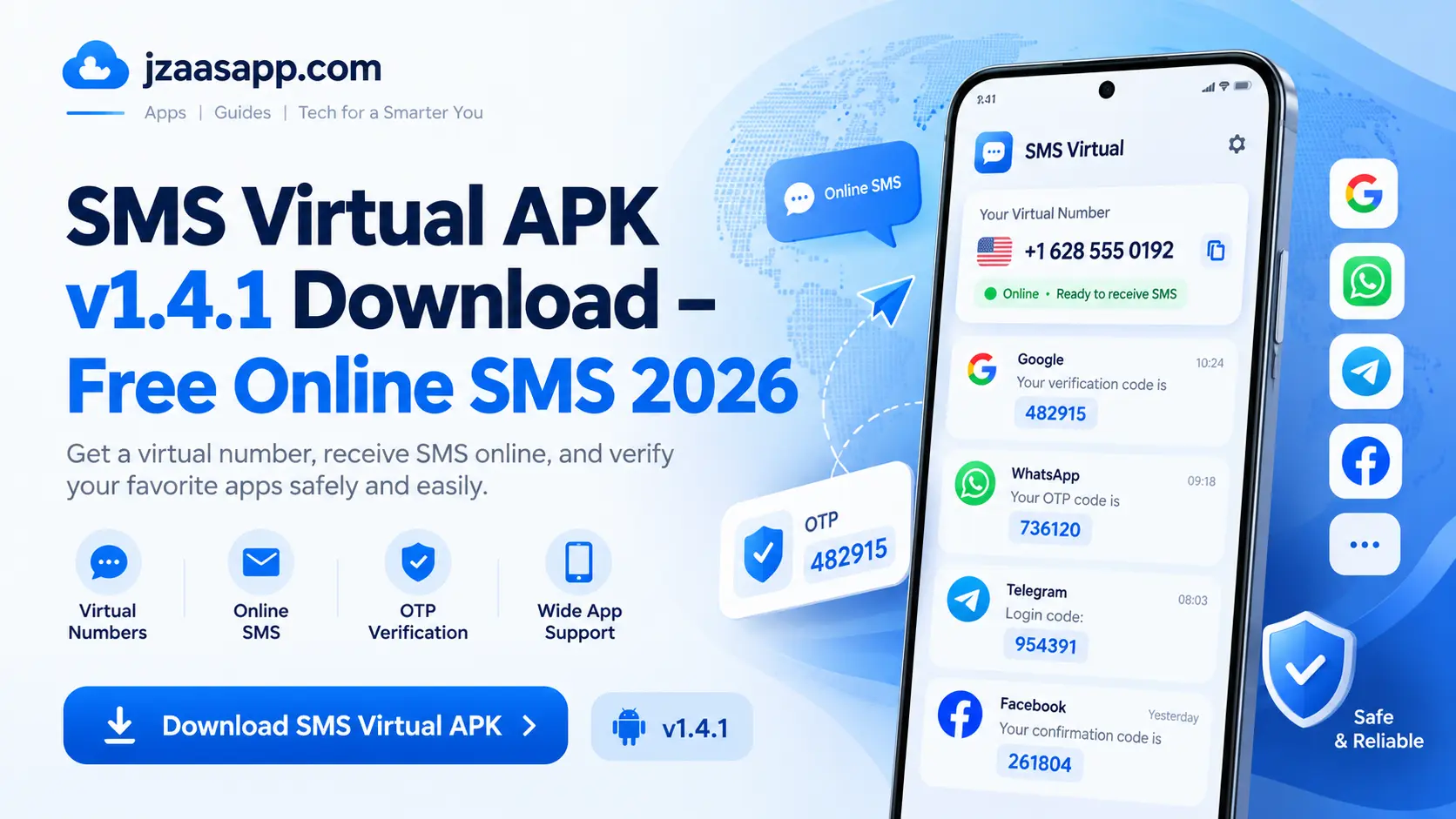
Getting an SMS verification code can sometimes be difficult, especially when you do not want to share your personal phone number with every website or app. Many online services ask for phone verification before allowing users to create an account. This is where SMS Virtual APK v1.4.1 can be useful. It provides temporary phone numbers that allow users to receive SMS messages online without using their regular SIM card.
SMS Virtual is designed to make online verification easier and give users more control over where they share their personal numbers. In this guide, you will learn about its features, latest version, download process, login options, pricing, WhatsApp compatibility, and common problems. We will also explain what you should know before using a temporary number.
SMS Virtual APK (Quick Information)
| App Details | Information |
|---|---|
| App Name | SMS Virtual – Receive SMS |
| Latest Listed Version | 1.4.1 |
| Developer | Tecrow Apps |
| Category | Communication |
| Platform | Android |
| File Format | APK / XAPK, depending on the source |
| Main Features | Virtual numbers, SMS reception, account verification |
| Pricing | Free download; paid activations may apply |
| Internet Requirements | Wi-Fi or mobile data |
| Android Compatibility | Android 6.0 or later |
| Availability | Google Play and selected APK websites |
| Download Source | Google Play Store (recommended) |
| Package Name | online.smsvirtual.app |
What is SMS Virtual APK?
SMS Virtual APK is an Android application that provides temporary phone numbers for receiving text messages online. Instead of entering your personal mobile number on different websites, you can use an available virtual number to receive verification codes.
A virtual number works like a regular phone number for certain online services, but it does not require you to insert a physical SIM card into your device. The app manages incoming messages and displays them on your screen when they arrive.
For example, some websites ask users to confirm their identity through a one-time password (OTP). SMS Virtual lets you choose a country, select the service, and request an available number. If that service supports the number, you may receive its verification message directly inside the app.
The application is especially useful for people who need short-term SMS access or prefer not to share their main phone number during everyday online activities.
However, temporary numbers are not suitable for every service. Some platforms block virtual numbers, while others require users to own and maintain access to the phone number linked to their account.
Key Features of SMS Virtual APK
SMS Virtual offers several features that make receiving online SMS messages more convenient. Here are some of its main functions.
1. Temporary Virtual Phone Numbers
The main feature is access to temporary numbers that can receive verification messages. These numbers are usually available for a limited time, making them more suitable for short-term use than permanent communication.
2. Receive SMS Online
Users can view incoming verification messages directly inside the app. There is no need to open the regular SMS inbox on their phones because messages sent to the assigned virtual number appear in the application’s interface.
3. Numbers From Different Countries
SMS Virtual allows users to select numbers from supported countries. Availability depends on the selected service, country, and number provider. Some countries may have more available numbers than others.
4. Simple Verification Process
The app provides a straightforward process for selecting a service, choosing a number, and checking incoming messages. Users can follow the steps without needing advanced technical knowledge.
5. Personal Number Privacy
One useful benefit is that users do not always need to share their regular mobile number with supported online services. This can reduce unnecessary exposure of personal contact information.
However, using a virtual number does not make an account completely private or anonymous. The number provider may still process messages and account information.
6. Activation Balance and Refunds
SMS Virtual uses an activation system that shows the cost of a number before selection. According to the developer’s published policy, an activation is not charged if no SMS arrives before the number expires.
Refunds and credits remain subject to the app’s current payment conditions.
7. Support and Account Access
The application includes support features to help users with common issues. Earlier releases have also documented Google Sign In and anonymous authentication options, although available login methods may change between versions.
What’s New in SMS Virtual APK v1.4.1?
SMS Virtual APK v1.4.1 is a newer release of the application listed in September 2026. This version focuses mainly on making number selection easier, improving app performance, and providing better support.
Some notable updates include:
- Recommended Numbers: Improved suggestions help users find suitable available numbers.
- High-Demand Indicator: The app can show when certain numbers or services are in high demand.
- Online Support Chat: Support improvements make it easier to contact the team when users face problems.
- Interface Improvements: Changes to the app’s design and controls aim to make everyday use smoother.
- Bug Fixes: General fixes help address problems reported in previous releases.
These improvements are useful for people who regularly receive verification messages through virtual numbers.
Keep in mind that updates cannot guarantee successful SMS delivery. The result still depends on the number provider, selected country, and the website or app sending the verification message.
Looking for more useful Android apps? You can also explore our DiskDigger APK for Android guide to learn how to recover deleted photos from your phone.
SMS Virtual APK Latest Version Details
SMS Virtual APK v1.4.1 is an Android app developed by Tecrow Apps. It allows users to receive SMS verification codes using temporary virtual numbers. The app supports Android 6.0 and later and has the package name online.smsvirtual.app. It is available in APK and XAPK formats, depending on the download source. The app is free to download, but some virtual numbers require paid credits. Users should always choose a trusted source to download the correct version safely.
How to Download SMS Virtual APK v1.4.1 for Android?
Downloading SMS Virtual is simple when you use a trusted source. The Google Play Store is the recommended option because it provides the developer’s published application and handles normal app updates.
Follow these steps to find the application:
- Click the Download APK button given below.
- You will be redirected to the SMS Virtual APK download page.
- Find the Download button and tap on it.
- Wait for the APK file to download completely.
- Once downloaded, open the APK file from your phone’s Downloads folder.
- Follow the on-screen instructions to install SMS Virtual APK.
- After installation, open the app and start exploring its features.
SMS Virtual Login: Google Sign In and Anonymous Access
SMS Virtual has previously offered different ways for users to access the application. These include Google Sign In and anonymous authentication. The options available to you may depend on the current version and the login screen displayed on your device.
SMS Virtual Login With Google
Google Sign In allows users to access supported applications through an existing Google account. If this option appears in your version of SMS Virtual, you can normally select Google Sign In, choose your Google account, and follow the instructions shown on the screen.
Using an account based login can make it easier to keep track of your app access and any account related information supported by the service. Always check what permissions the application requests before allowing access to your Google account.
SMS Virtual Anonymous Access
Anonymous authentication was also documented in earlier SMS Virtual releases. This option is intended to allow access without following the same registration process as a regular account.
If anonymous access is available, users should carefully check whether their balance, purchased activations, and account history can be recovered after changing devices or signing out. Temporary or guest access may not provide the same recovery options as a registered account.
What If SMS Virtual Login Is Not Working?
If you cannot access the application, first check your internet connection and confirm that you are using the correct app. You can also close and reopen SMS Virtual, check for available updates, and try the login method shown on your screen.
If the problem continues, use the application’s official support option rather than sharing your login information with an unknown third party.
How to Use SMS Virtual APK to Receive SMS Online?
Receiving SMS messages through SMS Virtual involves a few basic steps. The developer provides a simple process for selecting a service, obtaining a temporary number, and checking incoming messages.
Here is how it generally works.
Step 1: Open SMS Virtual
Launch the application on your Android device and complete any account access steps required by your version. Make sure your phone has a working internet connection.
Step 2: Choose a Country
Select the country from which you want to request a virtual number. The available countries may change based on the service and number supply.
Step 3: Select an Online Service
Choose the website or application for which you need SMS verification. If the service is not listed, the developer describes an “any other” option. However, this does not guarantee that every website will accept the assigned number.
Step 4: Check the Activation Price
SMS Virtual displays the activation cost before you request a number. Check the price carefully and make sure your balance contains enough credits if payment is required.
Step 5: Get Your Virtual Number
After selecting the service and completing the required activation process, the app provides an available temporary phone number. Copy this number and use it only for a service that allows temporary or virtual numbers.
Step 6: Request the Verification SMS
Enter the number on the supported website or application and request the verification message. Return to SMS Virtual and check whether the message has arrived.
Step 7: View Your SMS Code
If the sending service accepts the virtual number and delivers the message successfully, the code will appear inside SMS Virtual. You can then enter the code on the website or app to complete the allowed verification process.
How Long Does a Virtual Number Stay Active?
According to the application’s published description, a one-time number is generally available for up to 20 minutes. This means you should complete any supported verification before the number expires.
If no SMS arrives within the activation period, the developer states that the activation charge is not applied. Always review the current conditions in the app before purchasing credits.
SMS Virtual for WhatsApp Verification
Many users search for SMS Virtual for WhatsApp verification because they want to use a second phone number or avoid sharing their main contact number.
SMS Virtual may display WhatsApp among its available services, but this does not mean that every virtual number will work with WhatsApp.
WhatsApp has its own phone number requirements. Its official guidance says users must register a phone number they own and be able to receive verification messages or calls. WhatsApp also lists certain virtual or VoIP numbers as unsupported.
For this reason, a disposable number from SMS Virtual is not a reliable choice for creating or maintaining a WhatsApp account.
Also, you can download WhatsDelete APK to recover deleted WhatsApp messages and manage your notifications easily.
Can SMS Virtual Receive WhatsApp OTP Codes?
Some virtual number providers may receive messages from services such as WhatsApp, but successful delivery and acceptance are not guaranteed.
Even if a verification message arrives, a temporary number may later expire or become unavailable. This can cause serious problems if WhatsApp asks you to verify your number again.
For a personal or business WhatsApp account, the safer option is to use a supported phone number that belongs to you and remains under your control.
You can read the latest requirements on the WhatsApp Help Center.
Is SMS Virtual APK Free and Safe to Use?
SMS Virtual is free to download, but that does not mean every feature or SMS activation is completely free.
The application works with an activation balance. Users may need to purchase credits before requesting a virtual number. The exact price depends on the selected service, country, and available number.
The app shows the activation cost before the user makes a selection, so it is important to check the amount before continuing.
Is SMS Virtual Safe?
SMS Virtual is published on Google Play, but users should still review its permissions, privacy policy, and data handling before using it.
The official Google Play listing includes a Data Safety section explaining the types of information the developer says the app may collect.
Using temporary numbers also has some privacy risks. A number may become unavailable after its rental period, and you may not be able to receive future account recovery messages.
To reduce these risks:
- Download the app from a trusted source.
- Avoid modified or cracked APK files.
- Never share sensitive verification codes with strangers.
- Do not use temporary numbers for banking or important personal accounts.
- Review the activation price before purchasing.
- Use a permanent number for services that require ongoing ownership.
- Keep your app updated.
SMS Virtual can be useful for short term SMS reception, but users should understand its limits before depending on it.
Pros and Cons of SMS Virtual APK
Like other virtual number applications, SMS Virtual has advantages and limitations.
| Pros | Cons |
|---|---|
| Simple application interface | Some activations require payment |
| Receive SMS without a physical SIM for the virtual number | Codes may not arrive on every service |
| Access numbers from supported countries | Temporary numbers have limited availability |
| Helps avoid sharing your main number unnecessarily | Not suitable for important long-term accounts |
| Shows activation prices before selection | Popular countries or services may have higher prices |
| Offers support features | Some websites block virtual numbers |
The biggest benefit of SMS Virtual is its convenience for supported short-term verification tasks.
However, a temporary number should not replace a permanent mobile number when you need reliable account recovery, ongoing access, or long-term security.
Common SMS Virtual APK Problems and Solutions
Users may sometimes face problems while using SMS Virtual APK. Here are some common issues and their simple solutions.
- SMS Code Not Received: Check the selected country and service, confirm the number is correct, and allow some time for the SMS to arrive.
- No Virtual Numbers Available: Try again later or choose another supported country if the service allows it.
- Google Login Not Working: Check your internet connection, restart the app, and update it to the latest available version.
- SMS Virtual APK Not Opening: Restart your phone and make sure the app is compatible with your Android version.
- Payment Completed but Credits Missing: Check your payment history and contact official support if your balance has not updated.
- Virtual Number Expired: Check the activation timer and request a new number if the previous one is no longer active.
- Verification Number Rejected: Some websites block virtual numbers. Use a supported personal phone number if required.
Final Thoughts
SMS Virtual APK v1.4.1 provides a convenient way to receive SMS messages online through temporary phone numbers. Its simple interface, country selection, activation system, and support features make it worth considering for short-term verification on services that accept virtual numbers.
However, the app is not completely free for every activation, and temporary numbers do not guarantee successful verification. They can also create account recovery problems if you lose access to the number.
If you want to try SMS Virtual APK v1.4.1, start with the official Google Play listing, review the activation prices, and use the service responsibly. For important accounts and long term communication, a permanent phone number that you own remains the more reliable choice.